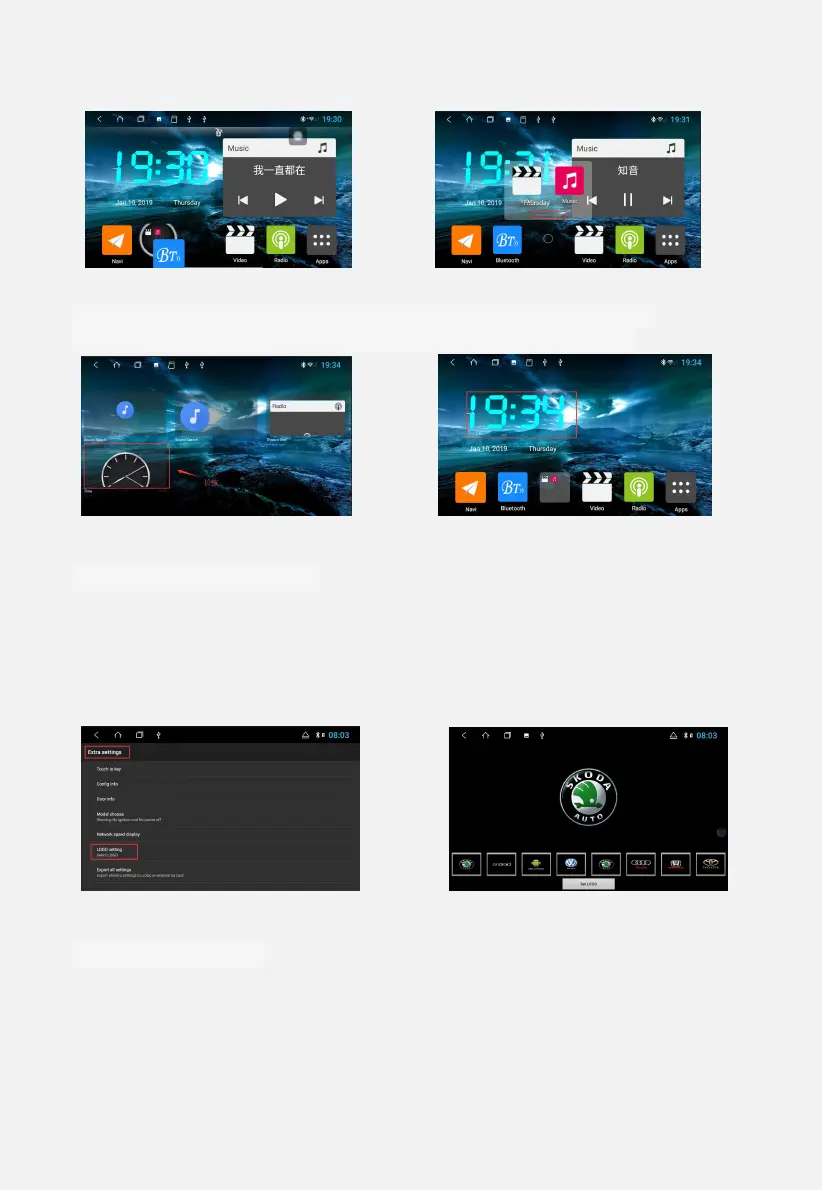
Figure 1.4 Figure 1.5
3 application interface--Touch from right to left to small window
page--long press any small window to create widget shortcut
Figure 1.6 Figure 1.7
1.4 boot logo settings
1 Set, enter the password 8888 → LOGO settings.
2 Custom boot logo: Copy the logo image of the PNG format
corresponding to the resolution to the root directory of the car or U disk,
enter the settings → LOGO settings, slide from right to left to view the
custom logo.
Figure 1.8 Figure 1.9
1.5 Google Voice
Prerequisites:
:
1Connect to the external network
2Log in to your Google account.
How to use: Google: Must enter the Google interface


 To Next Page