Disconnect: Short press the power key of the
product to disconnect the product from the
computer, press the key
to select “SHFT”, and
press the key
to return to the measurement
interface.
Format disk: Press key
to select “Formatted
disk”, press key
to pop up a dialog box, press
key
to format the disk and press key
to cancel
formatting the disk.
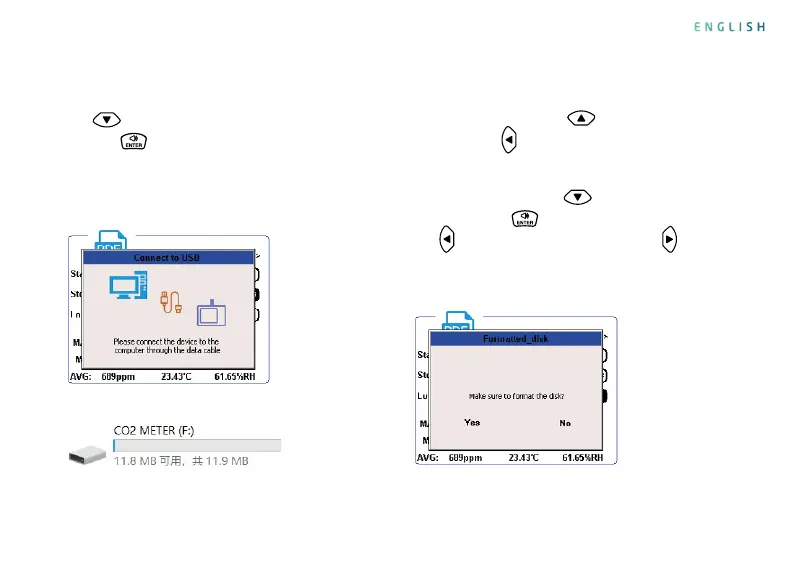
Format Disk Interface
Connect to Computer Interface
Computer Recognizes Disk Successfully
Connect to a computer: Use a USB data cable to
connect the product to the computer. Press the
key
to select “Connect to USB”, and press
the key
to conrm the connection. After the
connection is successful, the computer will display
a disk named “CO2 METER”. Open the disk to view
and copy the previously generated PDF le
.
ENGLISH


 To Next Page