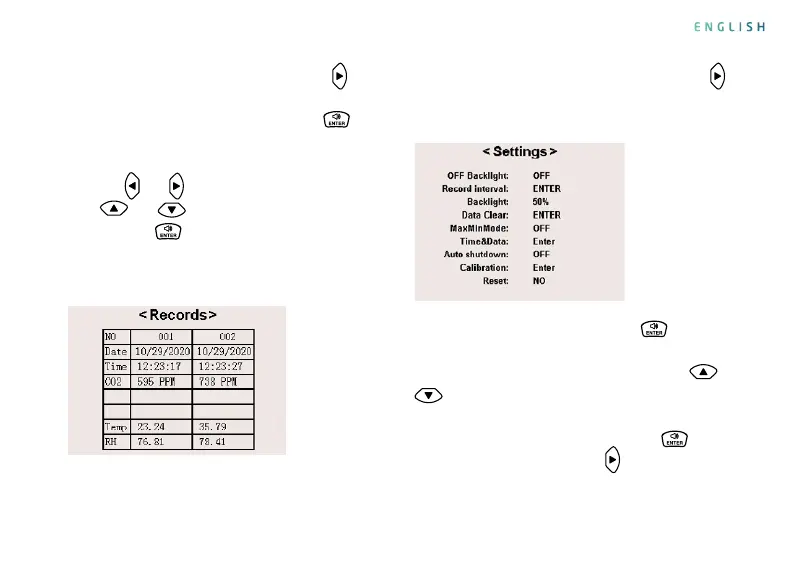
5. View historical records: Press the key
once
in the measurement interface to switch to the
historical record interface. Press the key
in
the historical record interface, the page number
is displayed at the bottom of the interface, press
the keys
and
to move left and right, press the
keys
and
to adjust the page number, and
press the key again to end the adjustment.
(Max / Min mode is used to view the minimum and
maximum CO2 values in the historical records).
6. Setting interface operation: Press the key
twice in the measurement interface to switch to
the setting interface.
Setting parameters: Press the key
in the
setting interface, and the setting items are in a
selectable state. At this time, press the key
or
to select the item to be set. For the operation
method, refer to the following table please. After
the setting is completed, press the key
to exit
the setting, and press the key
to return to the
measurement interface.
ENGLISH


 To Next Page