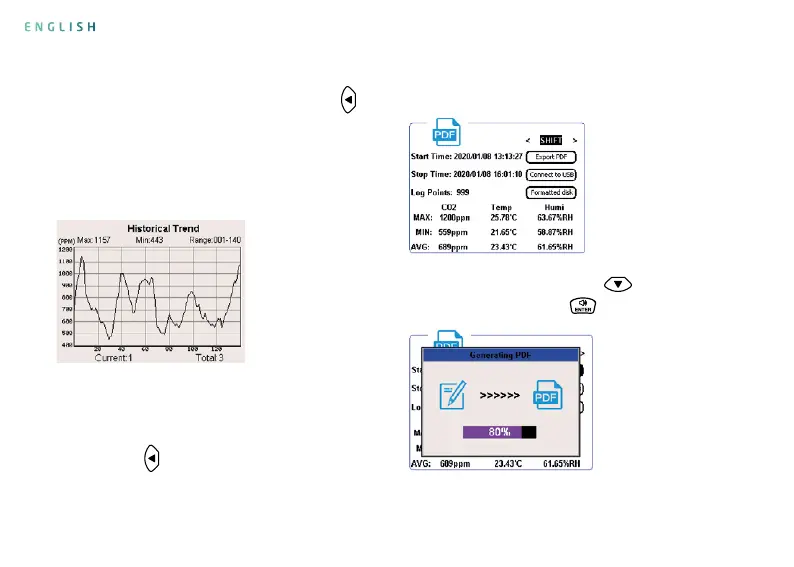
View Historical Trend Graph
8. Generate a PDF le, connect to a computer,
and format a disk.
Press the key
twice in the measurement
interface to open the interface as shown in the
7. View historical trend graph
In the measurement interface, press the key
once to open the historical trend graph (provided
that the product saves measurement data,
otherwise the historical trend graph interface
will not be displayed).
Generate PDF le: Press the key
to select
“Export PDF”, press the key to generate PDF le.
gure below. In this interface, you can generate a
PDF le, connect to a computer, and format a disk.
Generating PDF File
ENGLISH


 To Next Page