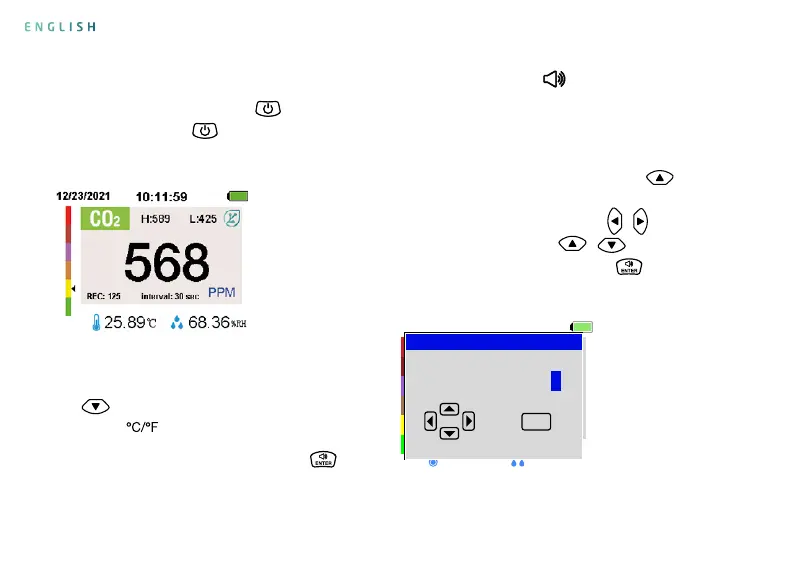
2. Switch the temperature unit: press the
key
in the measurement interface to
switch the
unit.
3. Turn on/o the alarm: press the key
in the
measurement interface to turn on/o the alarm
function. The symbol
is displayed at the top of
the screen when the alarm function is turned on,
and this symbol is not displayed when the alarm
function is turned o.
4. Alarm value setting: press the key
in the
measurement interface to open the alarm value
setting interface. Press the key
/
to select
the value, press the key
/
to increase or
decrease the value, press the key to save and
exit after setting.
Measurement Interface
Operating instructions
1. Power on/o: press the key
to power
on, and press the key
to power o in the
measurement interface.
Alarm Setting Interface
11/11/2021
REC: 000
20.14ºC
interval: OFF
PPM
43.19
%RH
Hi Alarm:
adjustment data
Enter
PPM
ENGLISH


 To Next Page