Getting Started
1--8
Getting Started
DL105 PLC User Manual, 3rd Edition
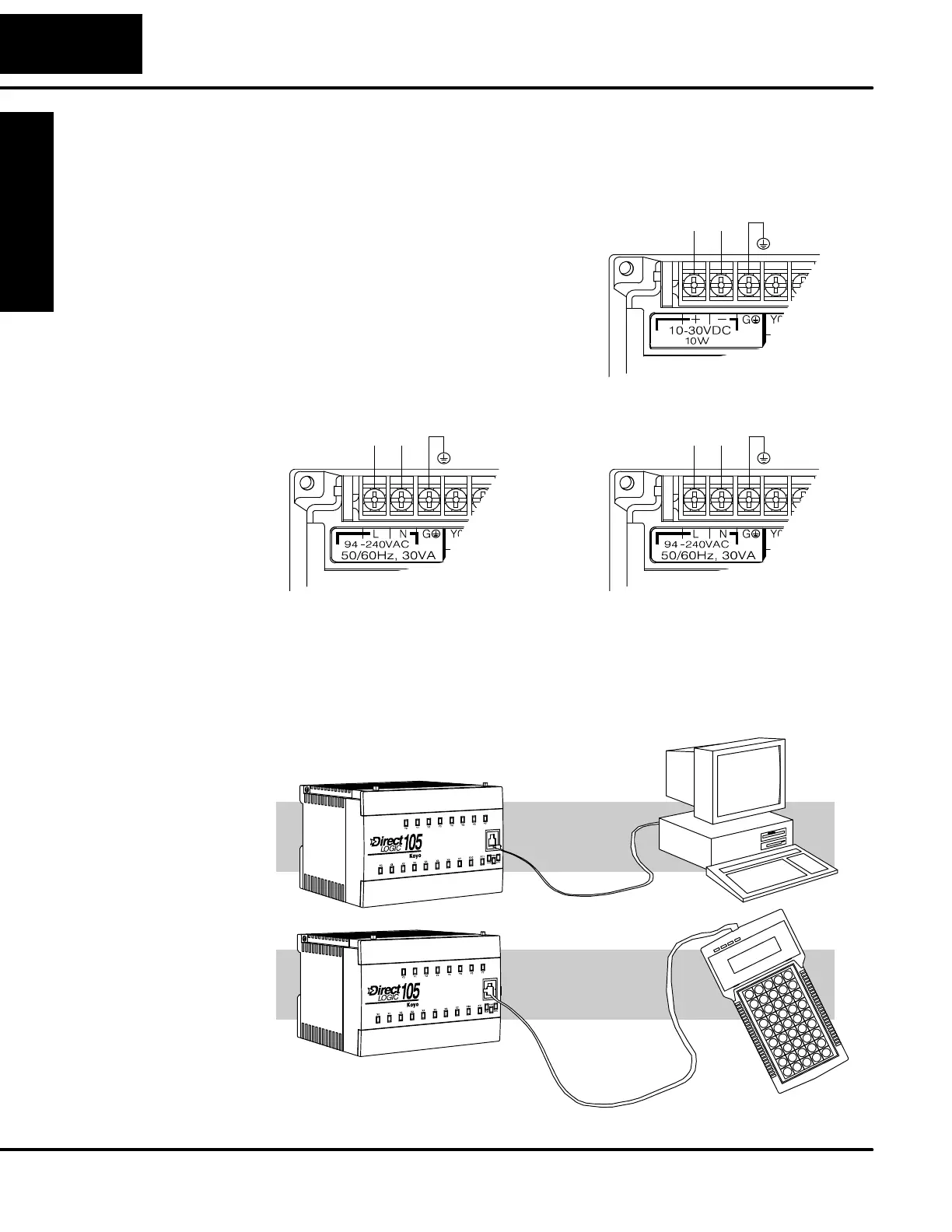
Step 3: Connect the Power Wiring
Connect the power input wiring for the
version DL105 you have. Observe all
precautions stated earlier in this manual.
For more details on wiring, see Chapter 2
on Installation, Wiring, and Specifications.
When the wiring is c omplete, close the
connector covers. Do not apply power at
this time.
110/220 VAC Power Input
94 -- 240 VAC
125 VDC Power Input
100 -- 240 VDC
12/24 VDC Power Input
LNG -- G
10 -- 30 VDC
+
-- G
+
Step 4: Connect the Programming Device
Most programmers will use DirectSOFT programming software, installed on a
personal computer. Or, you may need the portability of the Handheld Programmer.
Both devices will connect the COM1 port of the DL105 via the appropriate cable.
Use c able part no.
D2--DSCBL
For replacement
cable, use part no.
DV--1000CBL
(cable comes with HPP)



 To Next Page