Getting Started
1--9
Getting Started
DL105 PLC User Manual, 3rd Edition
Step 5: Switch on the System Power
Apply power to the system and ensure the PWR indicator on the DL105 is on. If not,
remove power from the system and check all wiring and refer to the troubleshooting
section in Chapter 8 for assistance.
Step 6: Initialize Scratchpad Memory
It’s a good precaution to always clear the system memory (scratchpad memory) on a
new DL105. When a unit has been without power for several days, the system RAM
contents may have been corrupted and will require initialization.
S In DirectSOFT, s elect the PLC Menu > Setup > Initialize Scratchpad.
For additional information, see the DirectSOFT Manual.
S For the Handheld Programmer, use the AUX key and execute AUX 54.
For additional information, see the Handheld Programmer Manual.
Step 7: Enter a Ladder Program
At this point, DirectSOFT programmers need to refer to the Quick Start Tutorial in
the DirectSOFT Manual. There you will learn how to establish a communications
link with the DL105 PLC, change CPU modes to Run or Program, and enter a
program.
If you are learning how to program with the Handheld Programmer, make sure the
CPU is in Program Mode (the RUN LED on the front of the DL105 should be off.) If
the RUN LED is on, use the MODE key on the Handheld Programmer to put the PLC
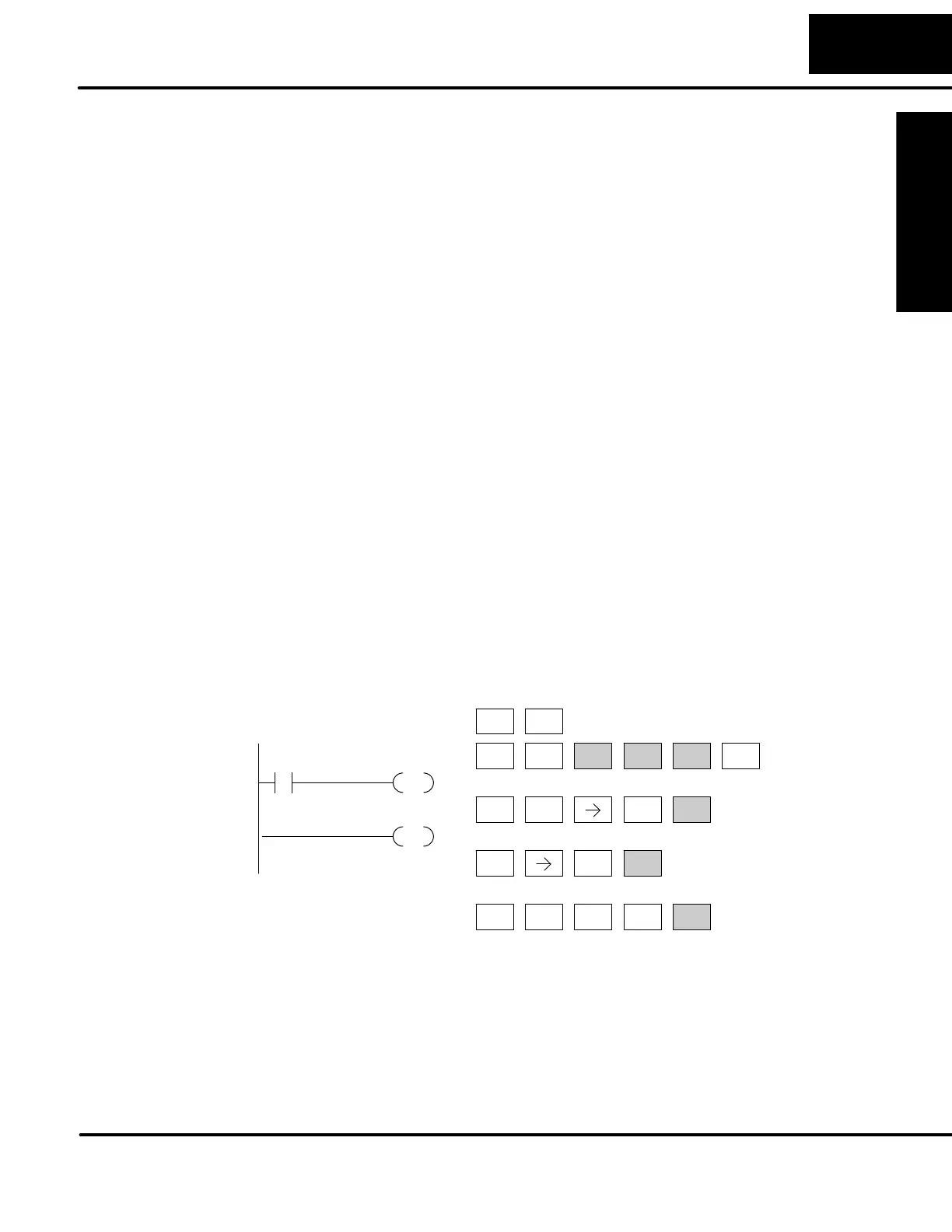
in Program Mode. Enter the following keystrokes on the Handheld Programmer.
ENT CLR
3
D
TMR
N
4
E
SHFT
CLR CLR
2
C
4
E
AUX ENT
NEXT
STR
$
0
A
ENT
OUT
GX
0
A
ENT
ENT
Clear the Program
Move to the first
address and enter
X0 contact
Enter output Y0
Enter the END
statement
END
X0
OUT
Y0
Equivalent DirectSOFT display
After entering the simple example program put the PLC in Run mode by using the
Mode key on the Handheld Programmer.
The RUN indicator on the PLC will illuminate indicating the CPU has entered the Run
mode. If not, repeat this step, ensuring the program is entered properly or refer to the
troubleshooting guide in chapter 8.
After the CPU enters the run mode, the output status indicator for Y should follow the
switch status on input channel X0. When the switch is on, the output will be on.



 To Next Page