13
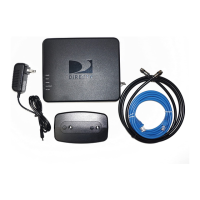
A. Connect one end of the enclosed
Ethernet cable to the Ethernet port
of the DCCK device.
B. Connect the other end of the Ethernet cable to the Ethernet
port on the back of your DIRECTV
®
Receiver. (If your DIRECTV
Receiver has two Ethernet ports, connect the cable to the upper
port labeled “ETHERNET 1”.)
Connect Ethernet to DCCK Device
This section describes how to attach your DCCK device if your installation requires the use of an Ethernet connection. In this installation,
you will use the enclosed Ethernet cable. The coaxial cable included with your DCCK will not be used in this configuration.
Connect Ethernet Cable to DIRECTV Receiver
direct ethernet connection



 To Next Page