34
troubleshooting
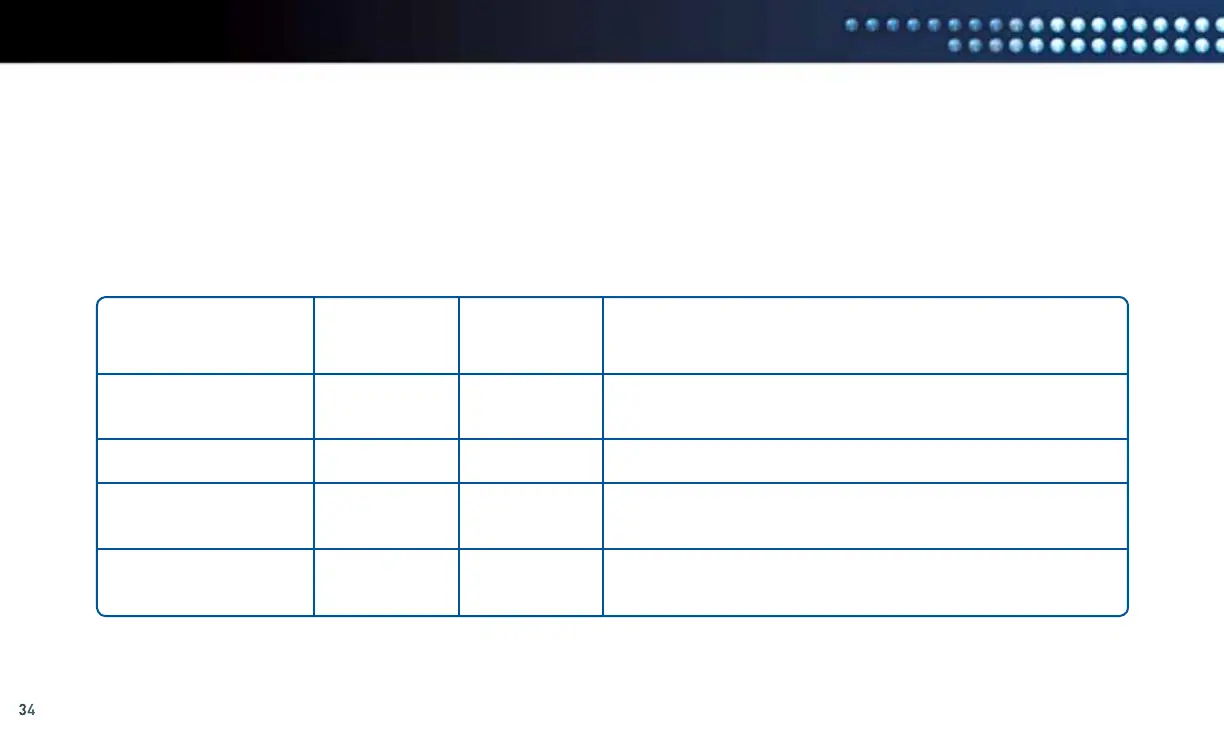
The Receiver Model in the Common Configuration Issues table below refers to the receiver to which the DCCK device is connected.
To determine your receiver model number (e.g. HR21-100), look behind the door on the right-hand side of the front panel on the receiver
where the access card is located. Another way to determine your receiver model is to use the DIRECTV
®
Remote Control to display
the model information. To do this, press the “MENU” button on your DIRECTV Remote Control and select “Parental, Fav’s & Setup”,
then “System Setup” and refer to the “Receiver:” section on the right side of the screen.
If you are having difficulty connecting to the Internet or need more information, visit directv.com/getconnected or call 1-800-531-5000.
Common Configuration Issues
RECEIVER MODEL ETHERNET COAXIAL SYMPTOM
CONNECTED CONNECTED
H24 or HR24
H24 or HR24
H21, H23, HR21, 22,
23, or R22
H21, H23, HR21, 22,
23, or R22
√
√
√
√
DIRECTV
®
Whole-Home DVR service is lost.
You can no longer see the Playlist.
Pixelation or poor video quality at other receivers in the home.
DIRECTV Whole-Home DVR service is lost.
You can no longer see the Playlist.
Pixelation or poor video quality at other receivers in the home.



 To Next Page