RESET YOUR RECEIVER
Many problems can be corrected by performing a simple reset
of the DIRECTV
®
HD DVR. If you experience frozen audio or
video, blank screen, or the receiver won’t respond to front panel
button or remote control, you can reset your receiver with the
following steps:
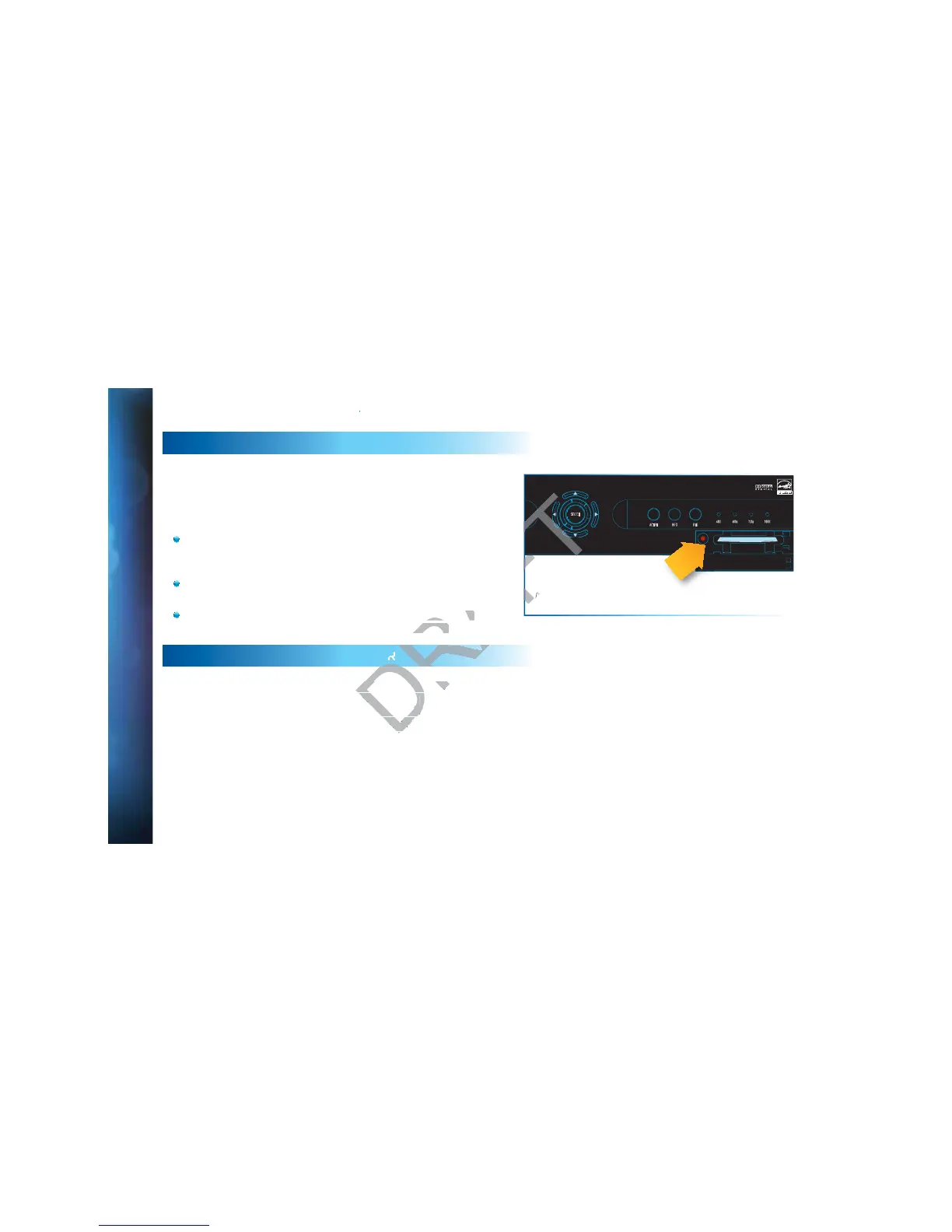
Press the red RESET button behind the access card panel
door on the front of the DIRECTV
®
HD DVR, then wait a few
minutes for program guide information to be acquired.
If you reset a Genie (Adv Whole-Home) client and the
problem persists, try resetting the Genie Server.
If the problems persist, try unplugging the power cord of the
DIRECTV Receiver for 15 seconds, then plug it in again.
REAUTHORIZE YOUR RECEIVER
If your receiver displayed the message “722 - Service Expired,”
try reauthorizing your receiver. On a computer, go to
directv.com/reauthorize and follow the onscreen instructions.
You will need to be logged into your account on directv.com to
complete this process.
Running the System Test (at the end of this section) can also
help you diagnose and solve many common problems. Note
that resetting your receiver twice in a row will clear all your
program guide data. It could take as much as 48 hours to
reacquire all of it.
SELECT
ACTIVE INFO RES
480i 480p 720p 1080i
RESET
Reset Button
(Your equipment may not look exactly like the model illustrated.)



 To Next Page