110
DIRECTV
®
HD DVR RECEIVER USER GUIDE
Q:
?
While the “Acquiring Guide Data” or “Acquiring Data From Satellite” message is on the screen, progress freezes during download.
Possible Causes:
This may be normal. After five minutes, the screen saver will display.
Press any key on the remote to see the progress bar again.
May happen if your satellite dish isn’t adjusted properly.
Solution:
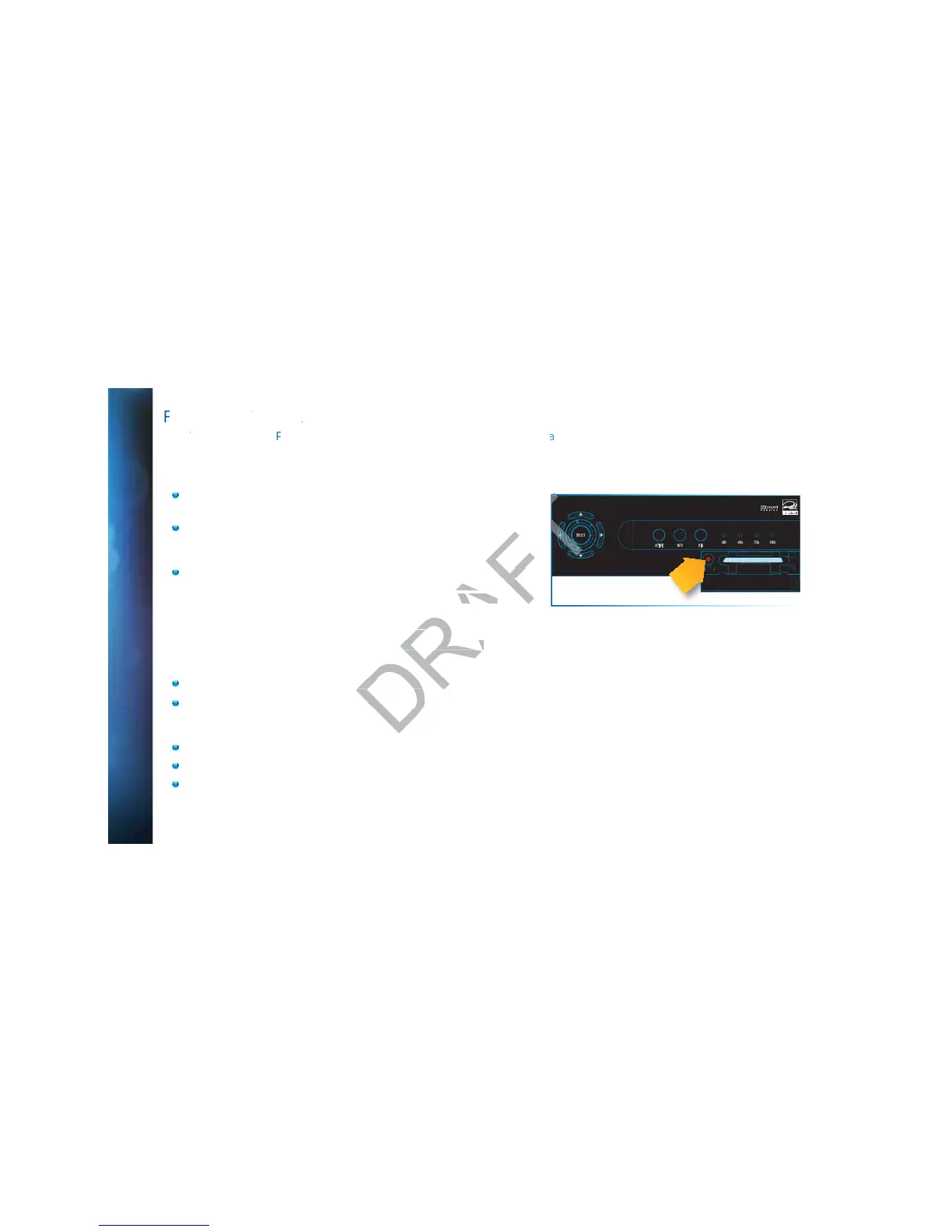
If satellite data acquisition still does not move forward, press the RESET
button behind the access panel door on the front of the DIRECTV
®
Receiver and wait for program guide information to be acquired.
The audio track does not match the lip movements on the screen.
Possible Causes:
Problem with how the program was produced or how it was sent to DIRECTV for broadcast.
Your surround sound system may be out of sync, or may be set up incorrectly.
Solution:
Change the channel on your DIRECTV
®
Receiver. This may re-sync the audio.
Rewind the program for about 5 seconds, then fast forward to live programming.
Try replacing or switching the cables between your surround sound system and your DIRECTV Receiver. Refer to your
surround sound system’s manual for assistance.
ESTIONS
SELECT
ACTIVE INFO RES
480i 480p 720p 1080i
RESET
ents on the screen.nts on the screen.
s produced or how it s produced or how
e out of sync, ore out of sync,



 To Next Page