EasyManua.ls Logo

DirecTV HR44 - Page 72

DirecTV HR44
88 pages
Print Icon
To Next Page IconTo Next Page
To Previous Page IconTo Previous Page
Loading...
160
DIRECTV
®
HD DVR RECEIVER USER GUIDE
S
St
ep
p
p
2
-
-
E
E
ns
u
ur
e
e
t
h
e
w
w
wi
re
l
e
s
ss
a
a
d
da
a
p
pt
er
i
s
re
e
o
g
n
iz
e
e
ed
b
by
y
y
ou
r
r
h
ho
m
e
n
n
e
et
wo
o
o
rk.
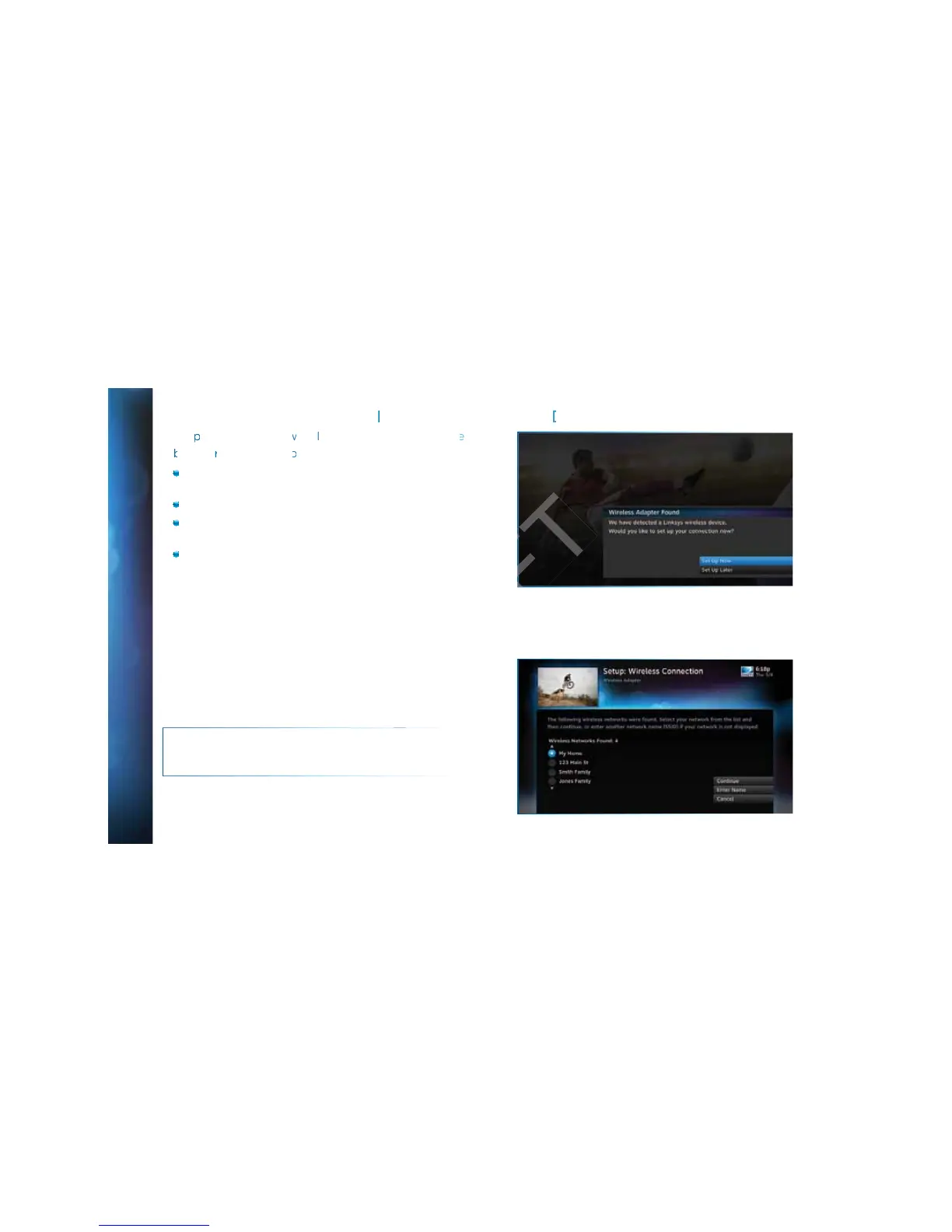
Once your router detects the wireless adapter it will prompt
you to configure the two devices.
Select Set Up Now.
Highlight your wireless network and press SELECT to display
a blue dot next to your network. Then select Continue.
Follow the onscreen instructions to complete the set-up
process of the wireless adapter.
NOTE: If you are having difficulty connecting to the Internet or
need more information, visit www.directv.com/getconnected.

A
A
PPENDI
X
X
4
4
:
H
H
O
O
W
T
T
O N
E
E
TW
O
O
RK
Y
Y
O
O
U
U
R
R
HD
D
D
V
V
R
A
A
PPENDI
X
X
4
4
:
H
H
O
O
W
T
T
O N
E
E
TW
O
O
RK
Y
Y
O
O
U
U
R
R
HD
D
D
V
V
R
DRAFT

Related product manuals