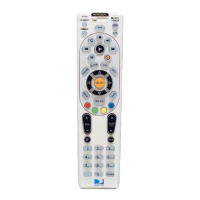
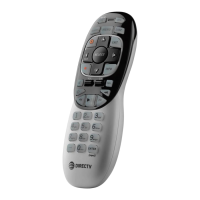
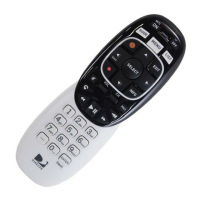
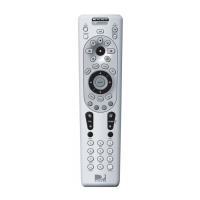
Remote Control Setup
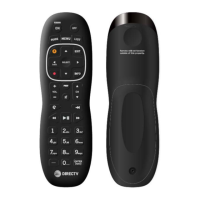
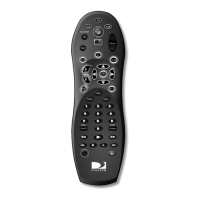
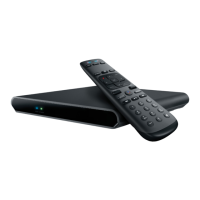
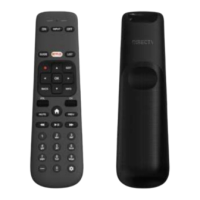
The RC90C remote comes congured to control the AEP2-100 set-top box in IR mode. Aer compleng
the AEP2-100 set-top box installaon and installing baeries in the RC90C remote, turn the TV on and
point the remote at the IR sensor for the AEP2-100 set-top box and then press and hold << (Rewind)
+ GUIDE>> to access the Admin Sengs applicaon. Once in Admin Sengs, navigate to Remote Setup
and follow the instrucons on the screen. There are opons for conguring the remote to operate in
either IR or RF mode to control the set-top box as well as setup the remote to control the TV power,
volume, mute, and input selecon funcons. There is also an opon to update the RC90C remote
soware as needed.
If desired, manual TV setup and RF mode pairing operaons are also possible as described in the
secons below.
Manual TV setup
To manually setup the remote for TV power, volume, mute, and input control:
1. Press & hold <<“–” (Dash) + INFO>> to enter Setup mode (Red LEDs 1 & 2 will light up).
2. Press the 4 or 5 digit code that represents the TV make/model. If an invalid code is entered, the
remote will nofy user with an error blink (Red LEDs 1 & 2 short blink 2x @ 200ms) and then
return to Setup mode (Red LEDs 1 & 2 on) to wait for the next code entry.
3. Press <OK> to save the TV make/model code. Red LEDs 1 & 2 will long blink 1x @ 1000ms and
then turn o.
While in Setup mode, the remote will return to User mode and nofy the user with an error blink (Red
LEDs 1 & 2 will short blink 2x @ 200ms and then turn o) if:
• User presses the <EXIT> key
• There is no user acvity for > 20 seconds
No code is saved under these circumstances.
Manual RF mode pairing
To manually iniate RF mode pairing on the remote, press and hold << (Rewind) + (Fast-
Forward)>> unl the remote LEDs begin blinking in an alternang sequence. The remote will iniate RF
adversing and be discoverable for up to 60 seconds. If the remote is successfully paired with another
device, both LEDs will long blink 1x @ 1000ms. In the event no pairing is successfully completed before
the 60 second meout, the remote will stop adversing, the LEDs will stop blinking, and the remote will
return to User mode.
Clear RF mode pairing
To manually clear any RF mode pairing on the remote:
1. Press & hold <<“–” (Dash) + (User Sengs)>> to enter Clear RF pairing mode (Red LEDs 1 & 2
will light up).
2. Press <9> <8> <1>.


 To Next Page