715
HOW TO
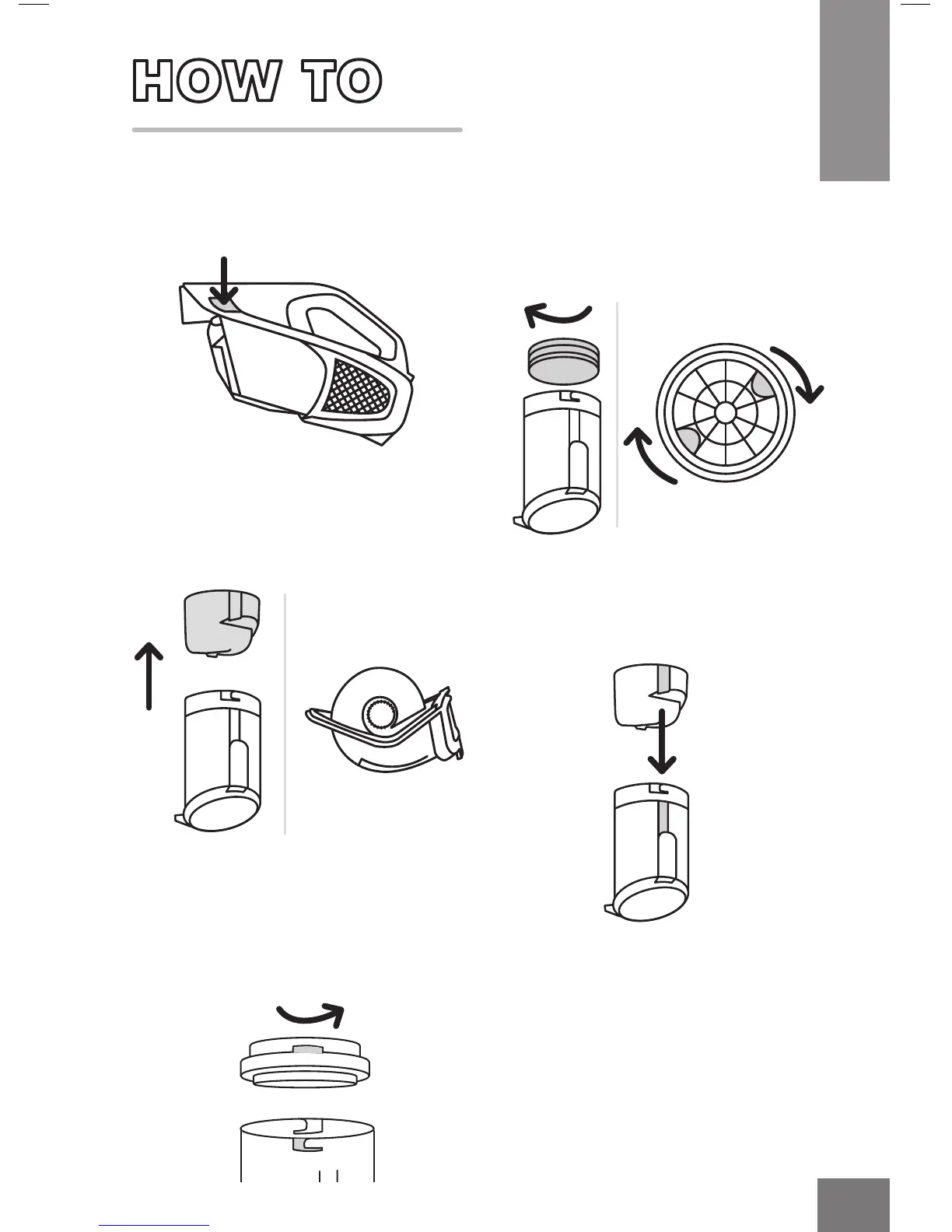
1. Press the Dirt Cup release
button.
3. Pull out the red cyclone,
wipe it clean.
2. Twist clockwise and pull the
Filter Frame out.
4. Line up the Cyclonic Filter
Assembly tab and push back
into place.
CLEAN THE CYCLONIC FILTER ASSEMBLY
5. Put the filter back in by aligning
the tabs and twist anti-clockwise
into place. You will hear a click
when the filter is secured back
in its place.
Top view
of filter frame
TIP: Place thumb and finger
in the grooves (x) then rotate
clockwise to remove, you will
hear it click.
x
x




 To Next Page