APP FEATURES
Select an sweep intensity in the ePro Clean app
as needed: Quiet
•
Standard
•
Power
•
Max
SUCTION INTENSITY MODES
Real-time mapping helps you easily understand the
sweep route and environment. After sweep, a oor
plan of your room(s) will be generated. Maps will be
updated in real time during each sweep to ensure
normal navigation. To generate a complete oor plan
of your home?
• Open room doors so that the robot vacuum
generates a map of each room;
• Remove any object(s) that may block
or jam the robot vacuum;
• After generating maps, please do not
disassemble or move the charging dock;
REPOSITIONING and
MAP REGENERATION
If the location of the robot vacuum/charging dock is
adjusted or the surrounding environment changes
signicantly, the robot vacuum will try repositioning
and may regenerate a map to adapt to the
surrounding environment. Details are as follows:
• If repositioning is successful, the robot vacuum will
resume sweep;
• If repositioning fails, the robot vacuum will regenerate
a map to ensure normal navigation
for new sweep;
• If repositioning fails and virtual boundary information
(restricted area) is available in the original map, the
robot vacuum will not start a new sweep to avoid
crossing any restricted area.
REAL-TIME MAPPING
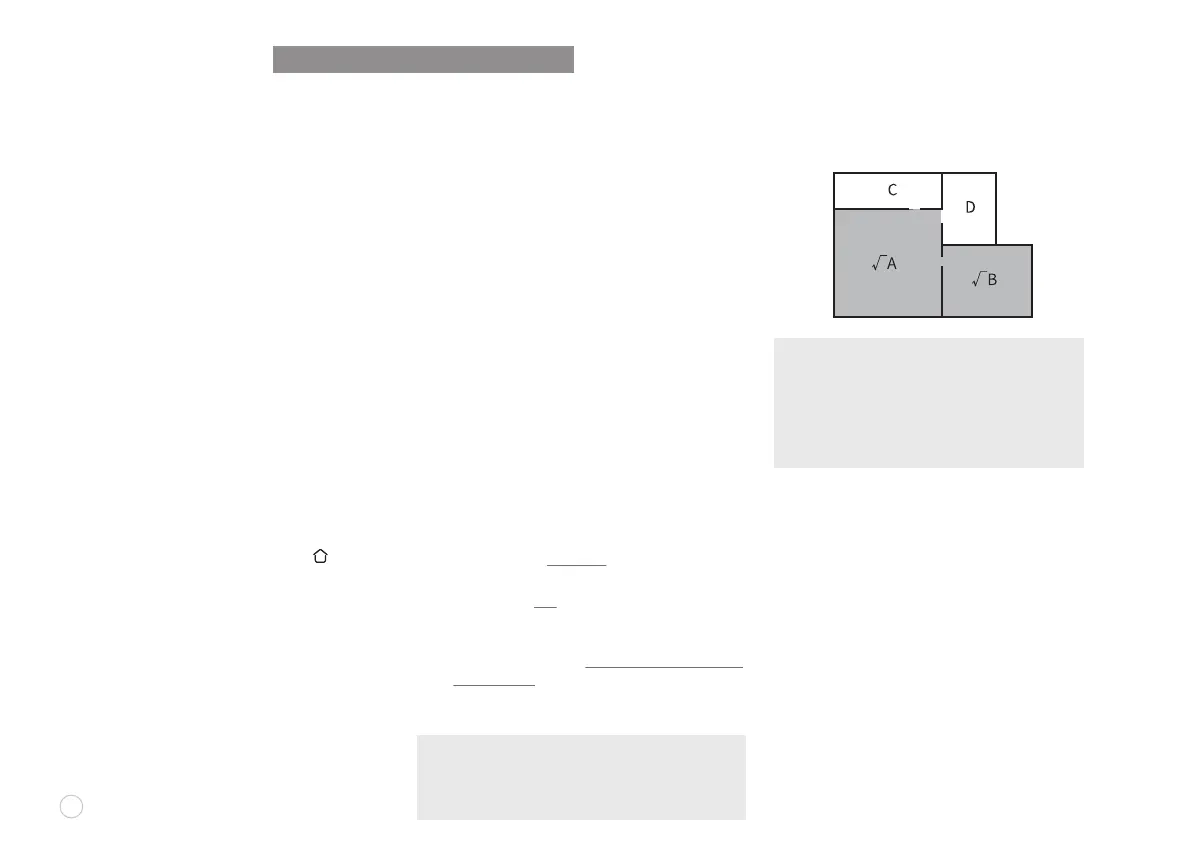
Select one or multiple rooms for cleaning in the app.
SELECTIVE ROOM CLEANING
REMOTELY CONTROLLED SWEEP
Manual Remotely-Controlled Sweep is available in
the app to make the robot vacuum go to the area to
be cleaned.
SLEEP MODE
If robot vacuum is inactive and the charging dock is
not connected for 10 minutes, the robot vacuum will
automatically switch to “SLEEP” mode. The robot
will shut down automatically if it sleeps for more than
12 hours. The robotic vacuum cleaner will switch to
the SLEEP mode automatically, if there is no
operation within 10 minutes after it is fully charged.
SYSTEM RESET
In STANDBY mode, press and hold the “ ” button
for 15 seconds to reset the system.
After resetting the system, the robotic vacuum
cleaner will lose the original settings including the
map and virtual boundary
NOTE: Make sure that the robot vacuum always
starts sweep from the charging dock. Do not move
the equipment frequently during sweep. Otherwise,
put the robot vacuum back to its home position.
10
NOTE: The robot vacuum may enter unselected
areas during cleaning. Clear obstacles from the
ground around the selected rooms as the robot
vacuum may enter unselected areas.
Area-specic Sweep can only be started after a
map is created.
ONLY IN-APP OPERATION SUPPORTED















 To Next Page