TIPS:
• DO NOT TURN OFF THE MAIN SWITCH DIRECTLY
DURING CLEANING MODE, otherwise the data of
the robotic vacuum cleaner cannot be saved.
• If the main switch is in the (O) OFF position, the
robotic vacuum cleaner will turn on automatically
if placing it on the charging dock, and will turn off
if removing it from the charging dock.
• If not in use for a long time, please toggle the
main switch to OFF position (O).
NOTE:
• If the battery level is too low to start sweep,
please charge it rst.
• Before sweep, all wires on the ground should
be well organized for fear of power interruption
or damage to articles caused by pulling the
power cord during sweep.
• In the auto sweep mode, by default the robot
vacuum will do sweeping twice if the sweep
duration is shorter than 10 square meters.
• Do not move the charging dock during
cleaning, and make sure that the charging dock
is powered on, otherwise the robotic vacuum
cleaner may not be able to return for charging.
OPERATING STEPS
For the rst use, toggle the main switch from O to I,
and the robotic vacuum cleaner will turn on.
• Press and hold “ ” for 3 seconds to start it up.
• Press and hold “ ” for 3 seconds to shut it down.
• If the robotic vacuum cleaner fails to respond,
toggle the main switch from I to O to forcibly
turn off the device.
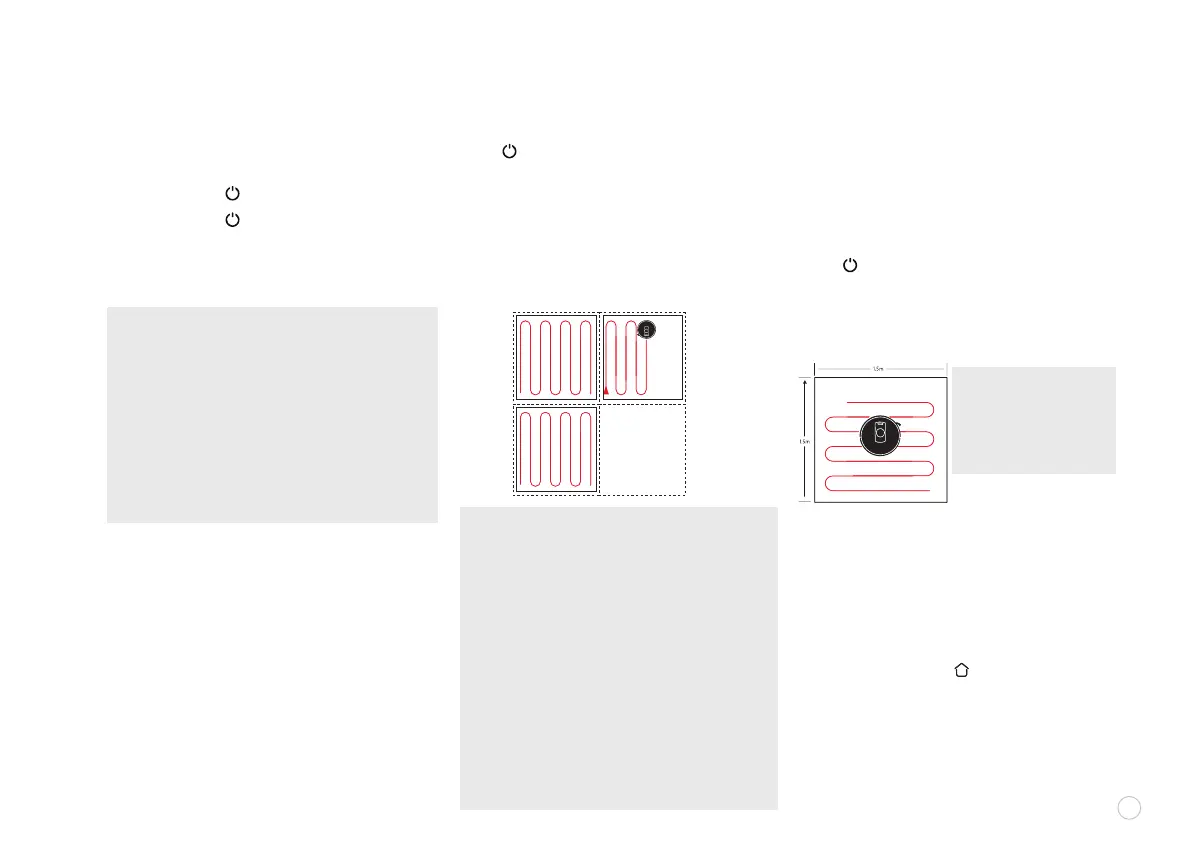
Press “ ” to start the AUTO SWEEP mode.
Once it is started, the robot vacuum will leave
the charging dock, scan automatically to
generate a map, intelligently determine its
sweep route, and divide the space into multiple
areas. The sweep route will be planned along
the wall to sweep back and forth in a zigzagging
way to sweep different areas one after another.
POWER SWITCH CLEANING
During the operation of the machine, pressing any
key will stop the operation.
SPOT CLEANING
Move the sweeping robot to the area to be cleaned,
press “ ” button twice to start the cleaning mode.
The robotic vacuum cleaner will sweep a rectangular
area of 1.5m X 1.5m centered on itself. After such
specic area has been swept, the robot vacuum will
automatically return to the charging dock.
AUTO/MANUAL CHARGING
• AUTO RECHARGE: After sweep, the robot vacuum
will automatically return to the charging dock
for charging.
•MANUAL RECHARGE:
a. If it is paused, press “ ” to recharge the
robot vacuum automatically
b. When the robot vacuum is stuck or cannot nd
the charging dock, manually return it to the
charging dock for charging.
9
PAUSING ROBOT
NOTE: The spot cleaning
mode can not be started
when the robotic vacuum
cleaner is on the
charging dock.















 To Next Page