u
Before setting up, have your home Wi-Fi network
password ready and make sure your network
meets the following requirements:
• The Wi-Fi router supports 802.11b/g/n
and IPv4 protocols
• EV3420 vacuum cleaner ONLY
supports 2.4GHz frequency band,
it does not support the 5GHz frequency band
INITIAL Wi-Fi SETUP
NETWORK SETUP
v
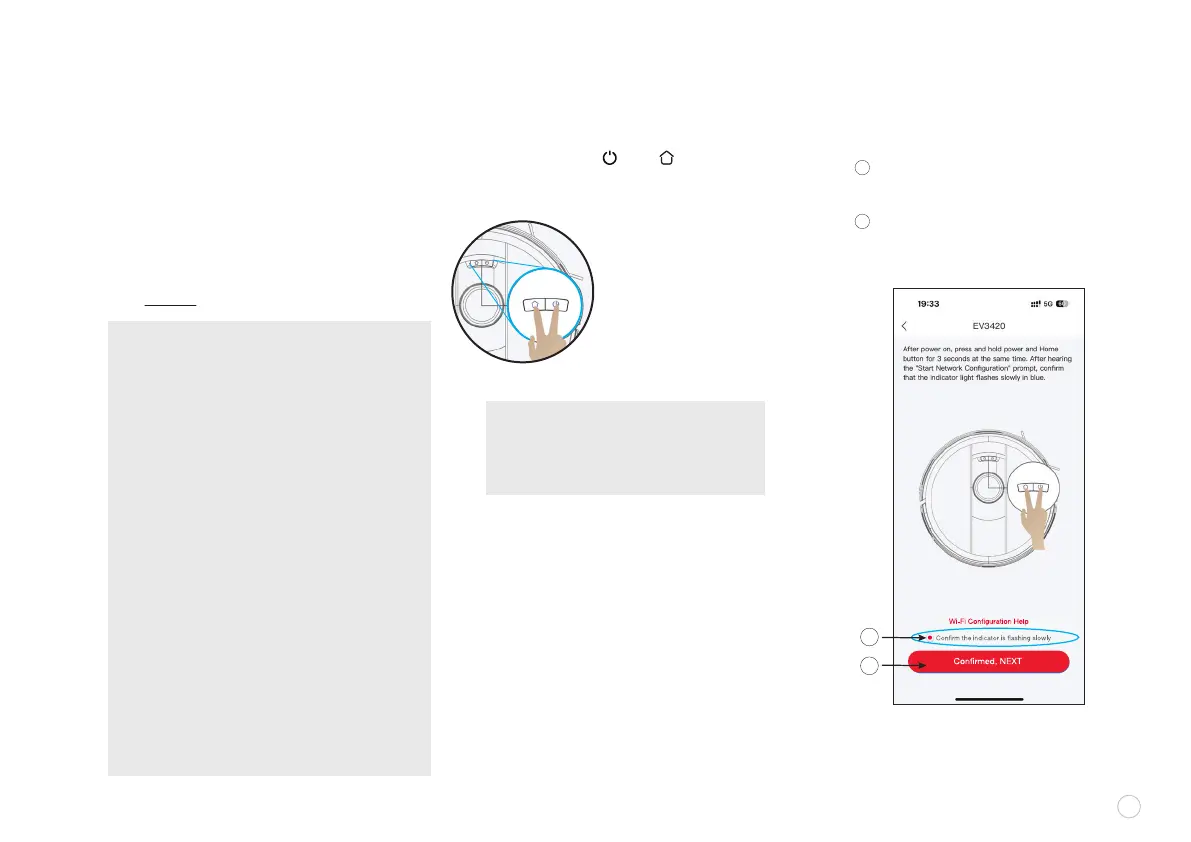
Press and hold the “ ” and “ ” button at the
same time for 3 seconds on the unit, until you hear
the voice say “Start Network Conguration.”
When the lights on the robot vacuum
begin to ash,
RESETTING NETWORK
A
B
Select “Conrm the indicator
is ashing slowly”
Then click “CONFIRMED, NEXT”
7
A
B
• Light ashes SLOWLY: in pairing
mode, waiting for connection
•Light ashes QUICKLY:
connection to Wi-Fi in progress
•White light is normally ON:
Wi-Fi is connected successfully
NETWORK RECOMMENDATIONS:
• Do not use a VPN (Virtual Private Network) or
proxy server.
• If the vacuum cleaner cannot be connected in a
dual-band (2.4/5GHz) Wi-Fi network, make sure
to select the 2.4GHz network for Wi-Fi Setting
prior to pairing the robot vacuum with your home
network. After initial setup you can switch back
to 5GHz frequency band for other devices.
• When connecting to a hidden network,
please be sure to enter the correct network
name SSID (case sensitive) and connect to a
2.4GHz wireless network.
• When using a wireless extender/repeater,
please make sure that the network name
(SSID) and password are the same as those
of the main network.
• Set the rewall and port of the Wi-Fi router
to allow the vacuum cleaner to connect to
the app server.
• Network security requirements:
Use WPA and WPA2 networks encrypted
with TKIP, PSK, AES/CCMP.
NOTE: as the robot vacuum enters the
PAIRING STATUS, you can see both
buttons ashing slowly in white as an
indicator that the unit is in pairing mode.















 To Next Page