48
8 After use
8.4 Inserting the dust bin
If you wish to re-insert the dust bin, proceed
as follows:
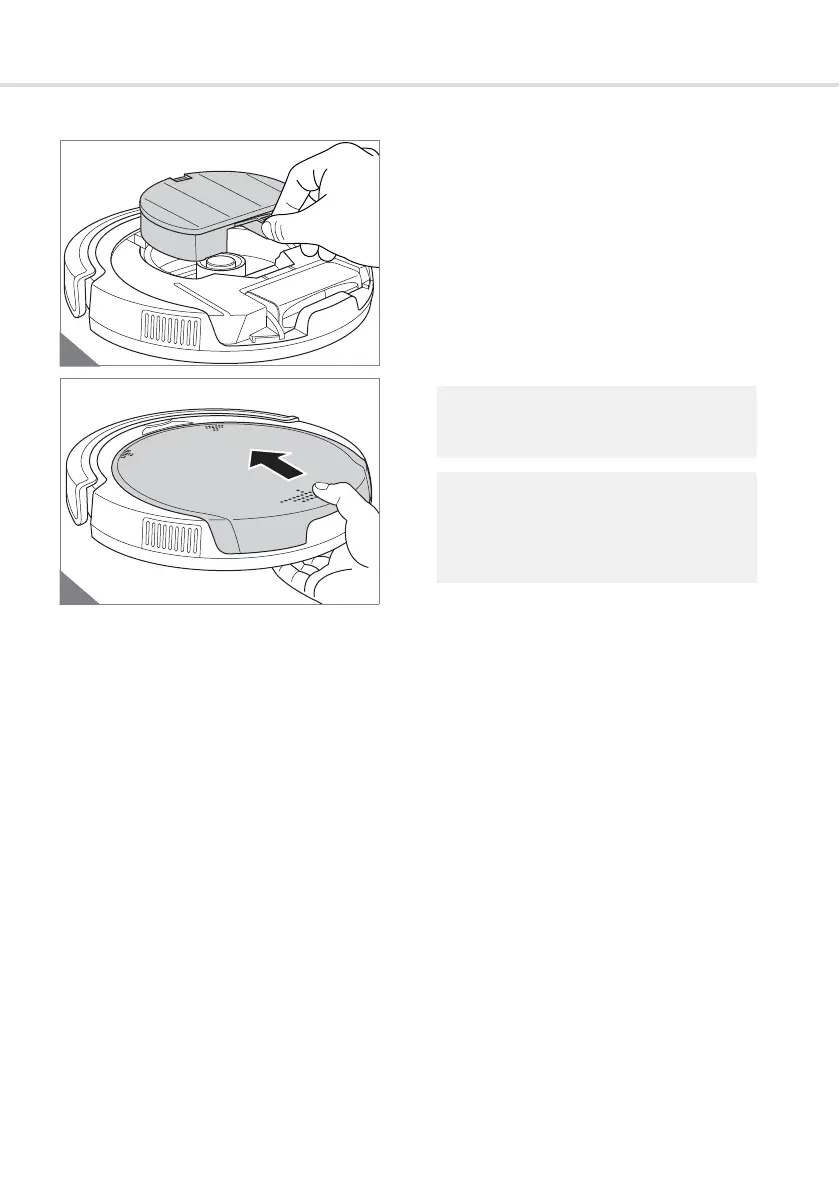
1. Place the dust bin, together with a filter al-
ready inserted, back in the dust bin com-
partment (Fig. 33).
2. First, put the housing cover in place at the
front so that the 2 tabs on the cover en-
gage in the 2 slots provided (Fig. 34).
3. Then push the housing cover firmly to
close it. You will hear and feel it snap into
place.
The appliance can only be switched on if
the cover is correctly fitted on.
If you have taken off the cover when the
appliance is switched on, you must switch
the appliance off and then switch it on
again. The appliance will then start up.



 To Next Page