16 17
edItor applICatIon
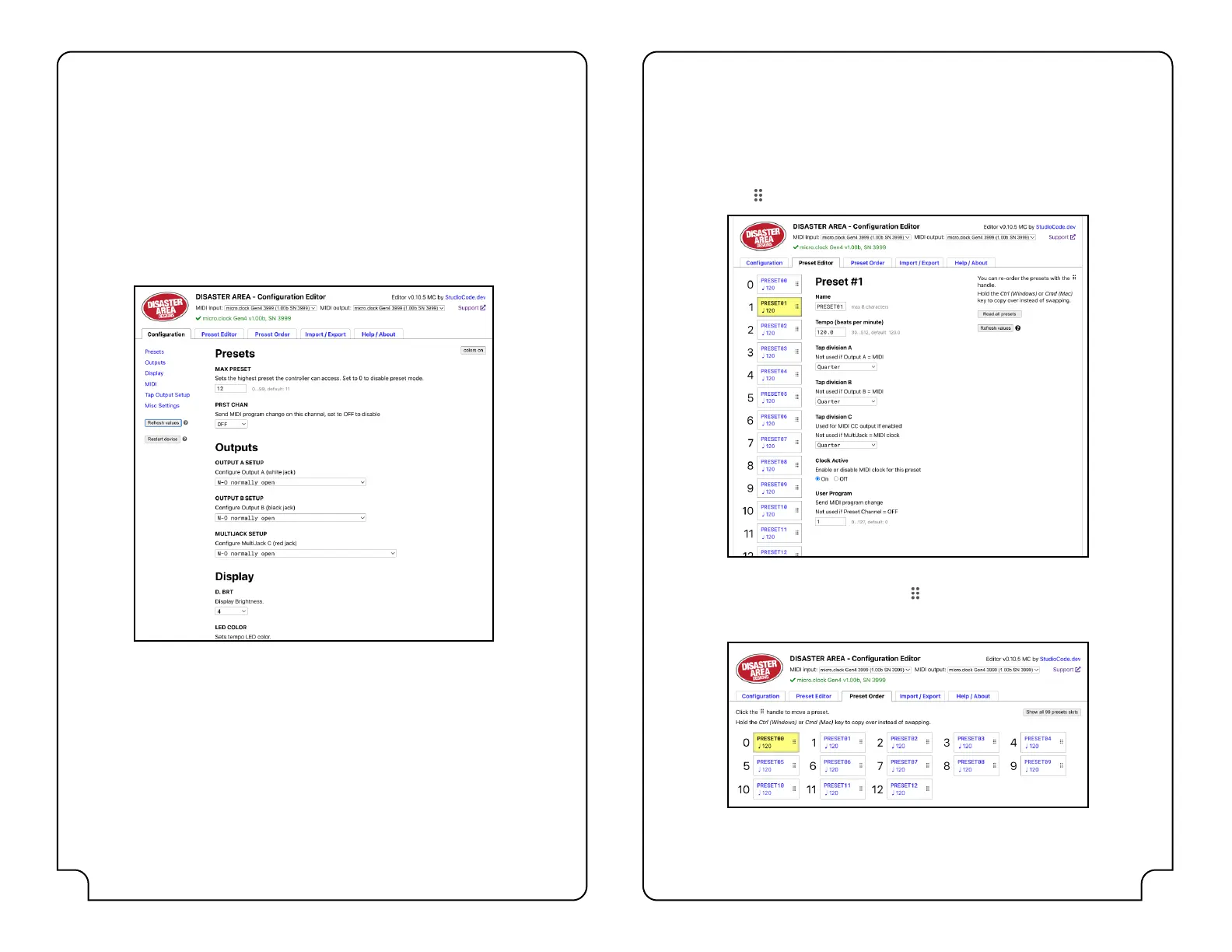
We also oer a web-based editor / librarian application that allows you to congure your
micro.clock. This application runs on any web browser supporting Web MIDI, including
Google Chrome, Microsoft Edge, and Mozilla Firefox. Please note Safari (including mobile
Safari on iOS) and Chrome on iOS are not supported at this time.
To use the editor, click the micro.clock Editor link on our website or visit:
https://microclock.disasterareadesigns.com from a supported browser.
Connect your micro.clock to your computer using a suitable USB cable.
Select the micro.clock from the list of available MIDI devices for both IN and OUT, and the
editor should begin reading the conguration from the controller.
Once the micro.clock has connected to the editor, you can change any of the available
conguration parameters in the Conguration tab. Any changes you make are automatically
saved.
If the editor displays a connection error message, double-check your MIDI input and output
settings, then refresh the browser window.
The Import / Export tab allows you to save and restore conguration and presets to your
computer for later use.
The Help / About tab has support information and troubleshooting tips.
edItor applICatIon (ContInued)
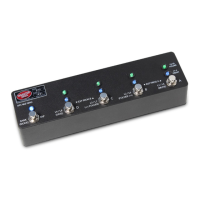
The Preset Editor tab allows you to rename, reorder, and change settings for each of the
micro.clock presets. The following parameters are available:
• Tempo and clock on / o status
• Tap subdivisions for each output (or toggle state if enabled)
• Program Change number
Use the handle to drag presets to change their order.
The Preset Order tab is similar to the Editor tab, but is designed for fast re-ordering and
management of your presets. Use the handle
to drag presets to swap their order. Hold Ctrl
(Windows) or Cmd (Mac) while dragging to copy a preset into a new location while leaving
the original.


 To Previous Page