Positioning the Microphone
30mm
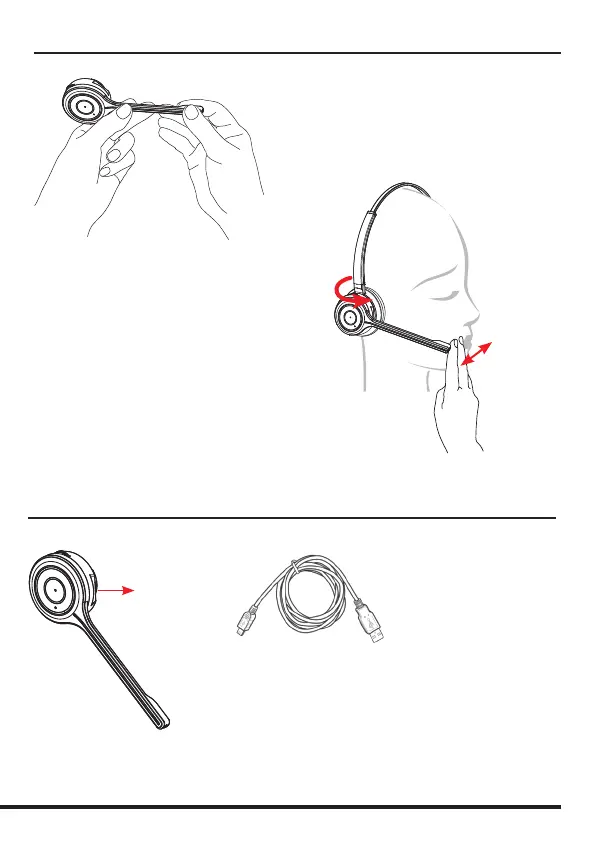
The microphone boom arm is exible, so you
can gently bend the boom and position it to
suit the curve of your face.
The ideal position for the microphone
is at the corner of the mouth, not in front of it,
but approximately 30mm (2 nger width)
away from the mouth.
Ensure that the side of the microphone is
pointed towards your mouth.
Holding the headset, rotate the headband to
bring the boom close to your cheek.
Headset Charging
Micro USB Port
for charging
headset
If the headset has been out of use for some item, it may
take up to 4 hours to charge it fully.
Normal charging time is 2-3 hours.
Low battery is indicated by the ashing red LED on the
headset.
The USB cable can be
plugged into either a
computer or a USB wall
charger



 To Next Page