46
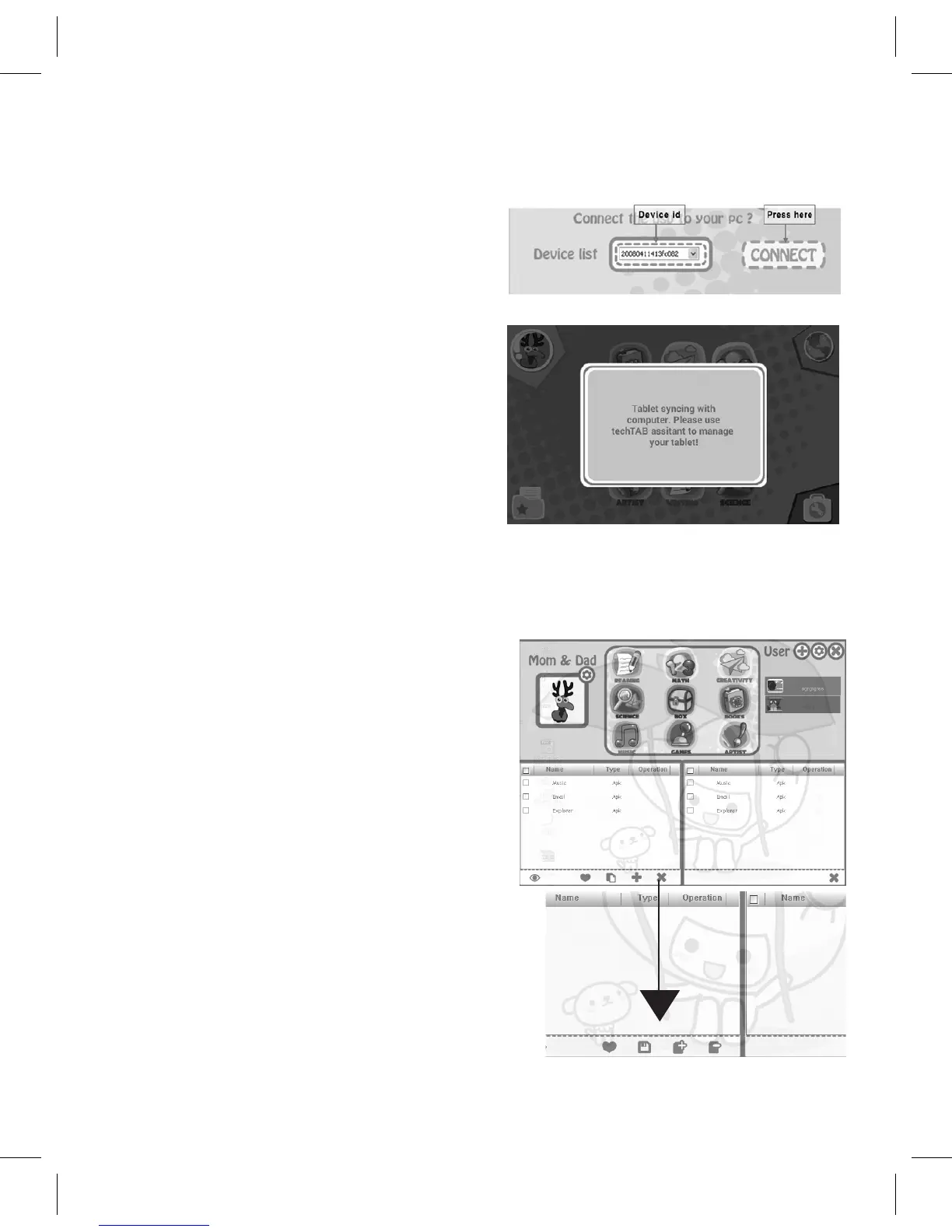
3. ThesoftwarewillscanthedeviceanddisplayitsIDintheDevice
List window.
4. TapCONNECTtoconnecttothe
device.
5. A syncing notice will show
on the screen of the techTAB.
Pleasenote,thetechTABcannot
perform any operation until
disconnected.
6. Awindowwillappearwithnineicons,whicharetheninecategory
folders.
7. You will notice four icons in the
bottomrightoftheleftinner-
window;aHearticon,aPageicon,
aPlusicon,andanXicon.
Forapkles,theseiconsperform
Share,Move,Install,andUninstall,
respectively.ForNon-APKlesthese
iconsperformShare,BackUp,Add,
andDelete,respectively.



 To Next Page