24
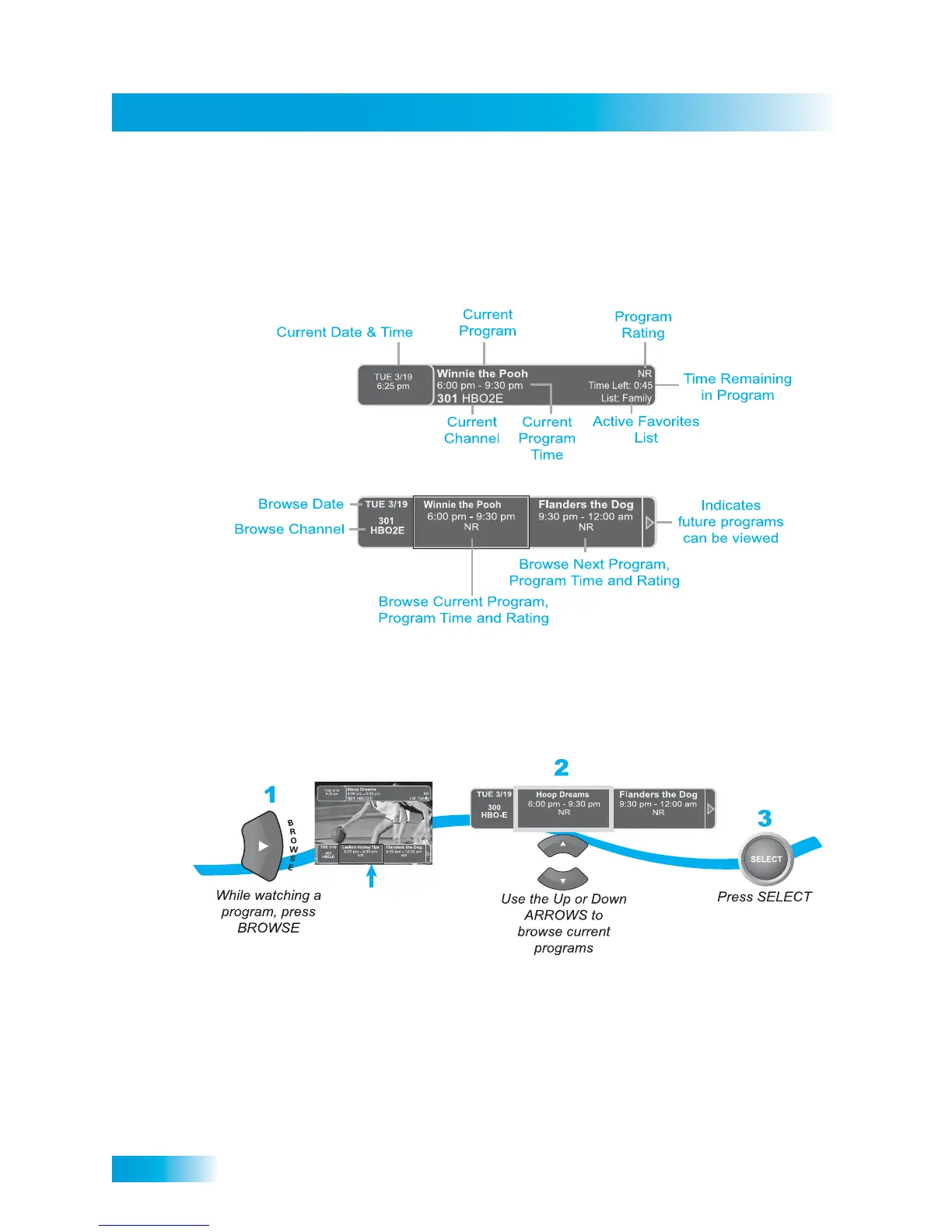
Using the Browse Banner
USING THE BROWSE BANNER
Use the Browse Banner to see what other programs are on and not miss any of a program
you are watching. Press the RIGHT ARROW (BROWSE) button to open the browse
banner.
When the Browse Banner is open, you will see the program information of the current
channel displays at the top of the screen, and the Browse Banner displays at the bottom of
the screen. The Browse Banner displays program information for the current and
upcoming program on other channels. Press the UP or DOWN ARROWS to view the
program information for other channels.




 To Next Page