33
Naming Favorites Lists
NAMING FAVORITES LISTS
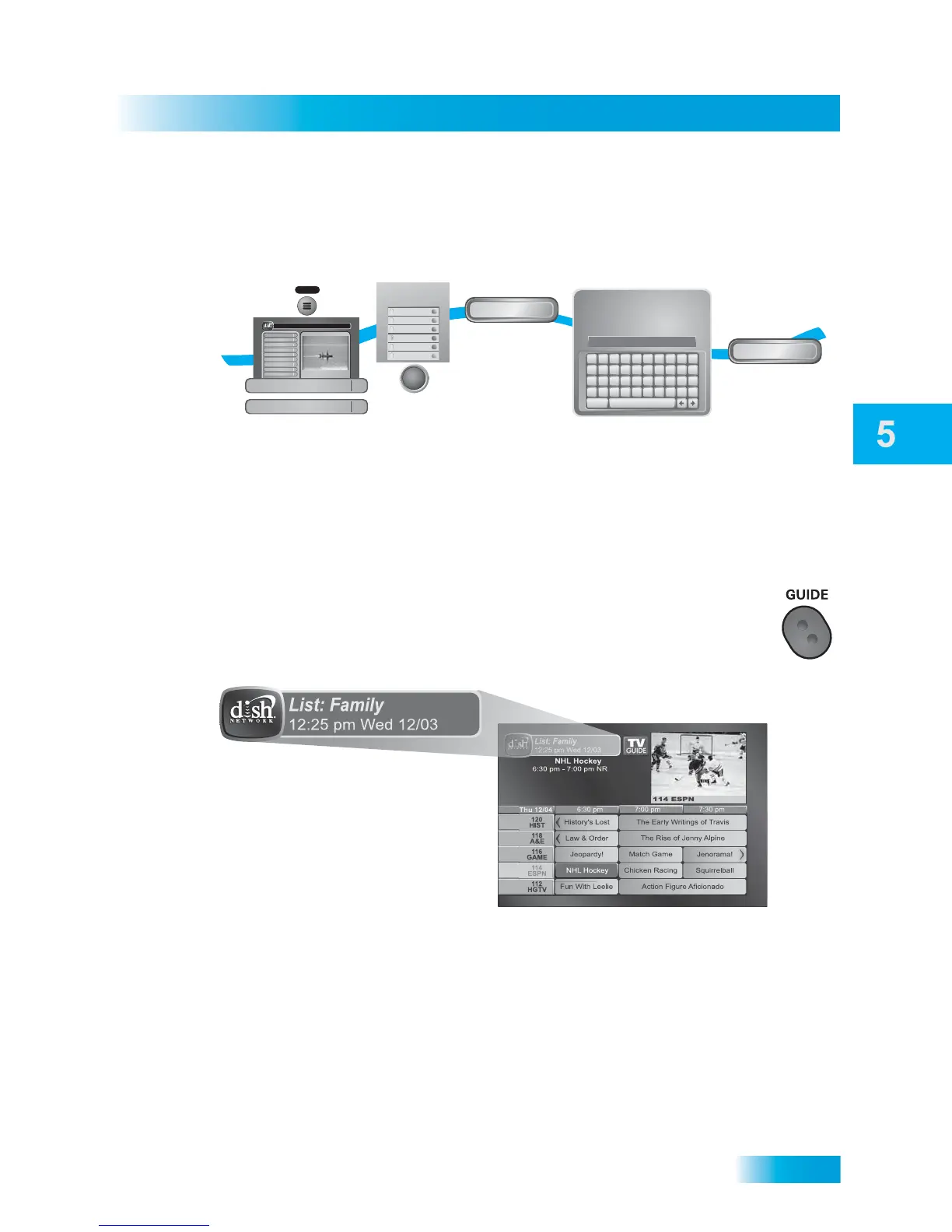
You can name your Favorites Lists whatever you want, up to eight characters long.
USING FAVORITES LISTS
Press GUIDE to open the Program Guide. Press GUIDE again to select the
next Favorites List. Press GUIDE repeatedly to scan through all the available
lists.
You can tell which favorites lists is active by looking in the Program Guide.
1
2
3
4
5
Press MENU,
select Preferences,
then select Favorites
Select list
to change
Select Edit
Name
Enter the name
for the list
Select Done
MENU
All Chan
All Sub
All HD
List 1
List 2
List 3
Currently Active Favorites
All Chan
Edit Name
Done
A B C D E F G H I J
K L M N O P Q R S T
U V W X Y Z ' - . &
1 2 3 4 5 6 7 8 9 0
Space
Back
Family_
Use the Alpha-Numeric Pad on the
remote or the On Screen Keyboard
to edit Favorite List Name
Enter List Name:
Program Guide
1
Themes & Search
2
Customer Support
3
Multimedia
4
Locks
5
System Setup
6
Daily Schedule
7
Preferences
8
Cancel
0
Main Menu
Thursday, January 20
114 E!114 E!
6:25 pm
Celebrity Homes
5:30 pm - 7:00 pm NR
Preferences
8
Favorites
3
SELECT












 To Next Page