Adjusting Song Tempo Power On - Stereo / Mono Select
13 6
Song
Tempo
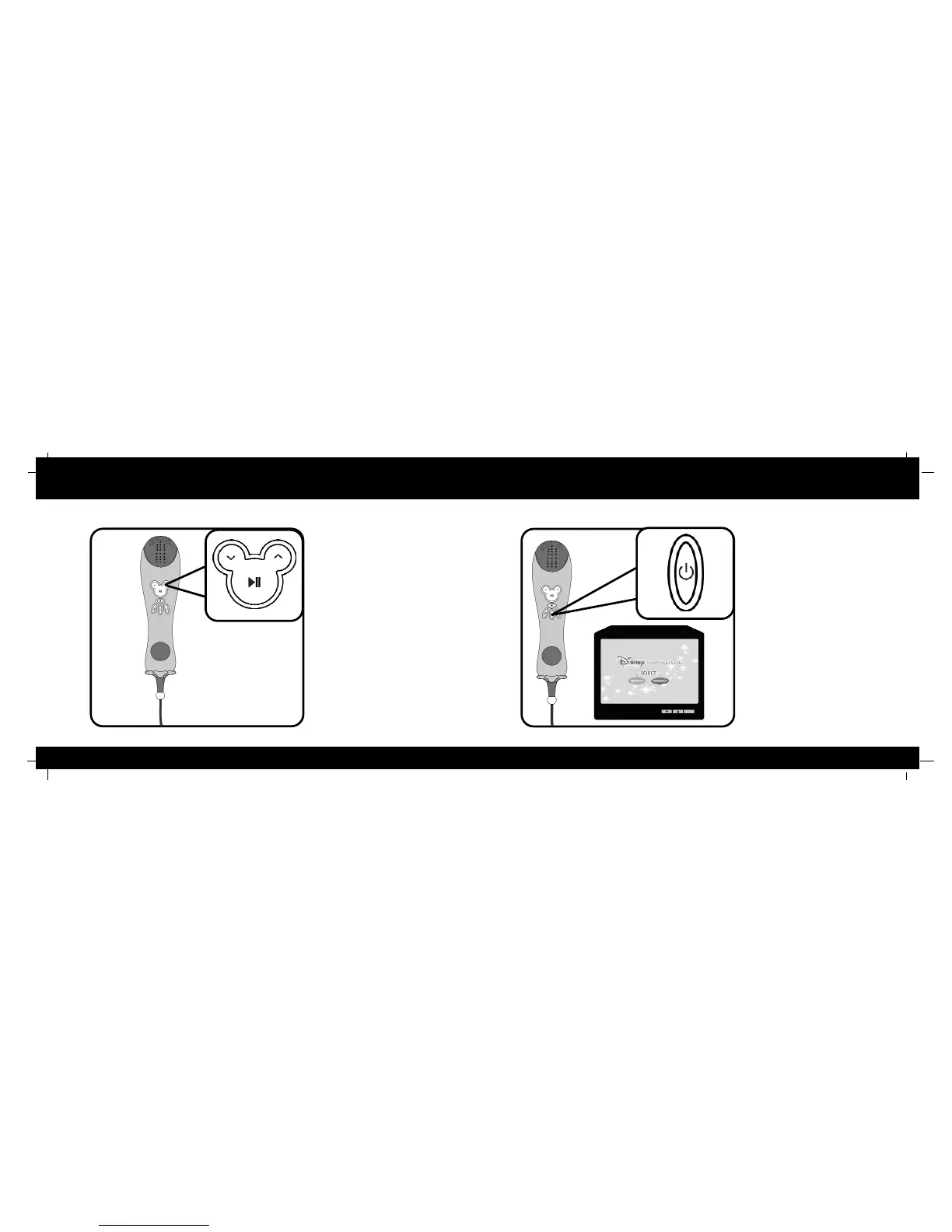
Press the up and down arrow
buttons during song play to adjust
the tempo of the music. The song
will speed up or slow down without
changing the pitch of the music.
Try slowing down a song while
you’re learning or speeding up a
slow song for fun!
To
turn
your
Karaoke
Player
on
press the power
button. The LED will illuminate
to indicate that the Player is on.
To turn your Player off hold the
power button down for 3
seconds.
As you player powers up, it will
display a “MONO / STEREO”
select screen. If your TV has
two speakers, press no button.
Stereo sound will automatically
be selected. If you have an
older TV with one speaker only
choose “MONO”. Use the stop
and play buttons to toggle
between the stereo and mono
selections.



 To Next Page