Display Screen
Your camera’s Display Screen provides information about your camera settings.
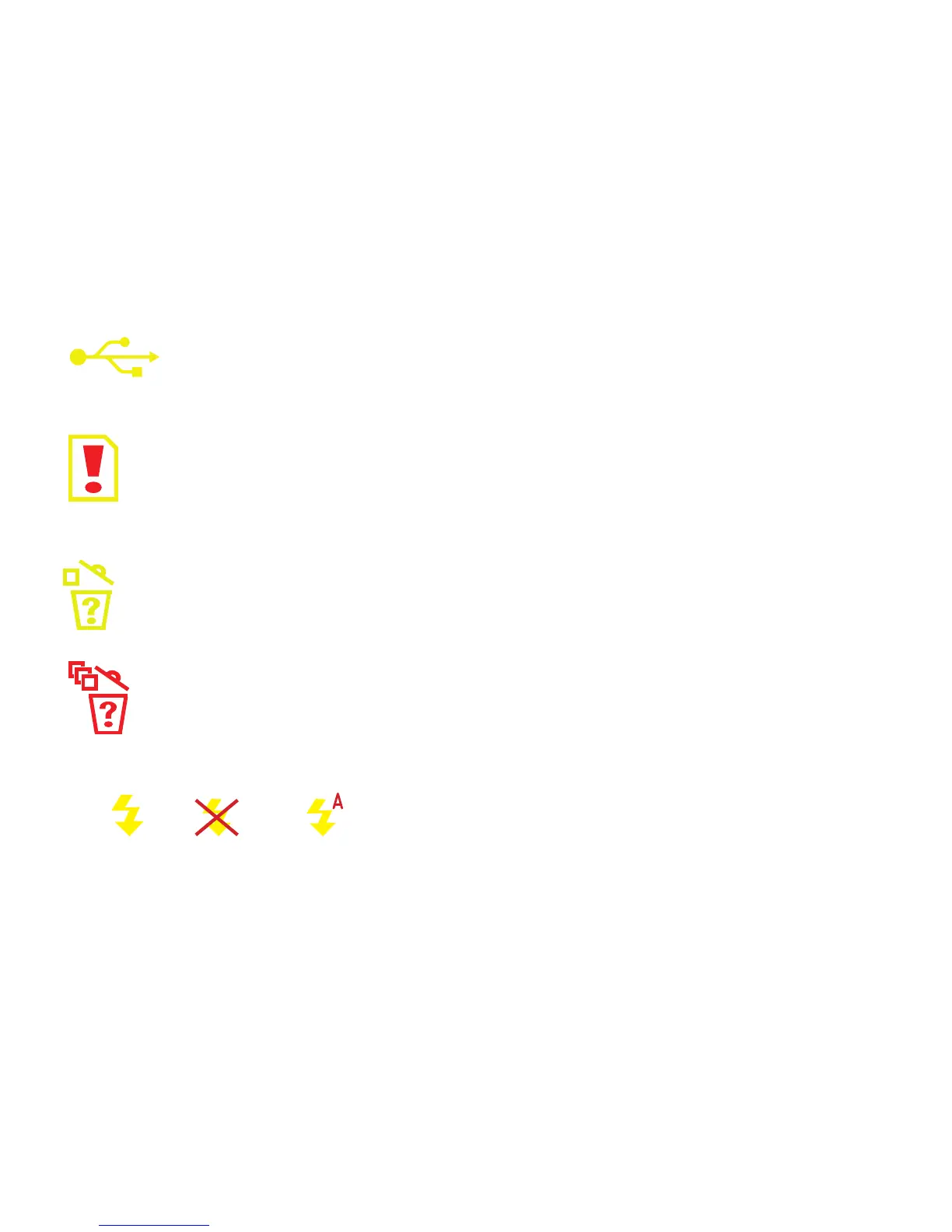
View the diagram below to understand the symbols on the Display Screen.
The USB Connection icon appears when your camera is connected to
your computer by the USB cable.
The Memory Full icon shows when you have lled your camera’s memory.
Connect the camera to your computer to download your photos.
This icon shows that one photo is about to be deleted.
This icon shows that all the pictures are about to be deleted.
Flash - Indicates whether the Flash is on, set on auto, or off.
On = Off = Auto =
Counter - Shows the estimated amount of images you are still able to take.
6


 To Next Page