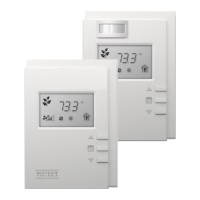
The Distech Controls Allure UNITOUCH™ is an elegant and sophisticated room device designed to provide an intuitive user interface for controlling room comfort parameters. It leverages Bluetooth® low energy technology for wireless control from a smartphone, making it a modern addition to smart room control solutions. Its compact style and slim profile ensure it blends seamlessly into various settings.
Function Description:
The Allure UNITOUCH™ serves as a communicating sensor, offering comprehensive control over HVAC, lighting, and sunblind applications. It features a high-resolution 3.5" capacitive touch screen, making it an ideal all-in-one solution for managing various building systems. The device is programmable, allowing for diverse configurations through EC-gfxProgram.
Users can access a rolling home screen displaying all configured information and controls. Tapping icons on the home screen provides access to specific functionalities. The Distech Controls logo on the home screen is customizable via EC-gfxProgram.
The main menu, accessible from the top-left corner, offers several settings and modes:
- my PERSONIFY App: This section provides QR codes for downloading the companion mobile application, my PERSONIFY, and a PIN code for connecting the app to the UNITOUCH.
- Settings: Users can adjust display units (Celsius or Fahrenheit), color themes (black or white), screen saver timeout, and toggle the wake-up sensor. The current language is also displayed here. The wake-up sensor utilizes a proximity sensor (approximately 10 cm or 4") to detect hand movement and activate the screen.
- Technician Mode: This mode allows administrators to adjust the subnet ID settings directly from the UNITOUCH. Each UNITOUCH and EC-Multi-Sensor-BLE requires a unique subnet ID for correct operation. Communication error screens will appear if there are conflicting devices on the same subnet or if the UNITOUCH subnet ID does not match the assigned subnet in EC-gfxProgram.
- About: This screen displays crucial device information, including the current firmware, bootloader, and master version numbers. The master version number corresponds to the firmware version of the controller to which the UNITOUCH is connected.
Usage Features:
The UNITOUCH offers intuitive control over various building systems:
-
Lighting Control:
- The main lighting control screen displays the current light intensity level graphically.
- Users can adjust dimming levels by tapping and holding or tapping a position on a slider. This action overrides Auto mode.
- An "Auto" icon toggles automatic mode ON/OFF. Auto function parameters are configured using EC-gfxProgram.
- Light bulb icons allow instant jumps to minimum or maximum configured intensities.
- A dedicated icon provides access to lighting group controls.
- Up to eight lighting groups can be programmed and enabled/disabled via EC-gfxProgram and the ECLYPSE Web Interface. Each group can have its own dimming slider, Auto mode toggle, MIN/MAX intensity jumps, and an ON/OFF toggle switch.
-
Temperature Control:
- The main temperature settings screen displays the ambient temperature.
- Temperature can be displayed in either Absolute or Relative mode, depending on EC-gfxProgram configuration.
- A slider allows users to adjust the temperature setpoint by tapping and holding or tapping a position.
- Models equipped with a humidity sensor display percent humidity.
- Models with a CO₂ sensor display measured carbon dioxide levels in ppm.
- The temperature setpoint and heating/cooling mode are displayed, or a setpoint offset if programmed.
-
Fan Control:
- The main fan settings screen shows the current fan speed setting graphically.
- Fan control can be displayed in either Level or Analog mode, based on EC-gfxProgram.
- A slider allows users to adjust fan speed by tapping and holding or tapping a position.
- An "Auto" icon toggles automatic mode ON/OFF. Auto function parameters are configured using EC-gfxProgram.
-
Sunblind Control:
- The main sunblind controls screen displays the current sunblind vertical position graphically.
- Users can select desired sunblind rotational angles between 0 and 180 degrees (availability may be limited by programmed settings).
- A slider allows users to adjust sunblind position by tapping and holding or tapping a position.
- An "Auto" icon toggles automatic mode ON/OFF. Auto function parameters are configured using EC-gfxProgram.
- A dedicated icon provides access to sunblind group controls.
- Up to eight sunblind groups can be programmed and enabled/disabled via EC-gfxProgram and the ECLYPSE Web Interface. Each group can have its own sunblind slider, rotational angle selection, Auto mode toggle, and icons for instantly jumping to fully closed or fully open levels.
-
Custom Actions:
- Custom actions must be programmed using EC-gfxProgram and enabled/disabled via the ECLYPSE Web Interface.
- Different options are available for each custom action based on its configuration.
- Tapping a desired action enables it. A green checkmark may appear to indicate if a custom action is currently enabled.
Important Technical Specifications (Inferred from content):
- Screen: High resolution 3.5" capacitive touch screen.
- Connectivity: Bluetooth® low energy technology.
- Sensors: Proximity wake-up sensor (approx. 10 cm / 4" detection range). Optional humidity and CO₂ sensors depending on the model.
- Programming: Configured using Distech Controls EC-gfxProgram and enabled/disabled via the ECLYPSE Web Interface.
- Subnet ID: Requires a unique subnet ID for correct operation with other Distech Controls devices like EC-Multi-Sensor-BLE.
Maintenance Features (Inferred from content):
- Firmware Updates: The "About" screen displays firmware, bootloader, and master version numbers, suggesting that updates are a part of the device's lifecycle, likely managed through the connected controller.
- Troubleshooting: The Technician Mode allows for direct adjustment of the subnet ID, which is crucial for resolving communication errors caused by conflicting device IDs or mismatches with EC-gfxProgram assignments. The manual emphasizes consulting the UNITOUCH Installation Guide for more information on resolving such issues.
- Configuration Flexibility: The ability to customize various settings (language, units, screen saver, color theme) and program different control options (lighting groups, sunblind groups, custom actions) through EC-gfxProgram and ECLYPSE Web Interface provides significant flexibility for system integrators and technicians to adapt the device to specific building requirements.
The user guide emphasizes that users should be trained HVAC professionals, responsible for correct wiring procedures, override methods, and maintaining safe working conditions. Distech Controls reserves the right to modify the manual without notice. The availability of certain options, icons, and screens on the UNITOUCH device may vary based on its programming in EC-gfxProgram.

 Need help?
 General

 To Next Page