Operating instructions
64420 A 98/16 page 14 - 17
- Plug in power cable, switch on coffee
grinder briefly. If it blocks or there is a
sound of metal parts rubbing together, the
scale setting must be adjusted according to
3.3.2.
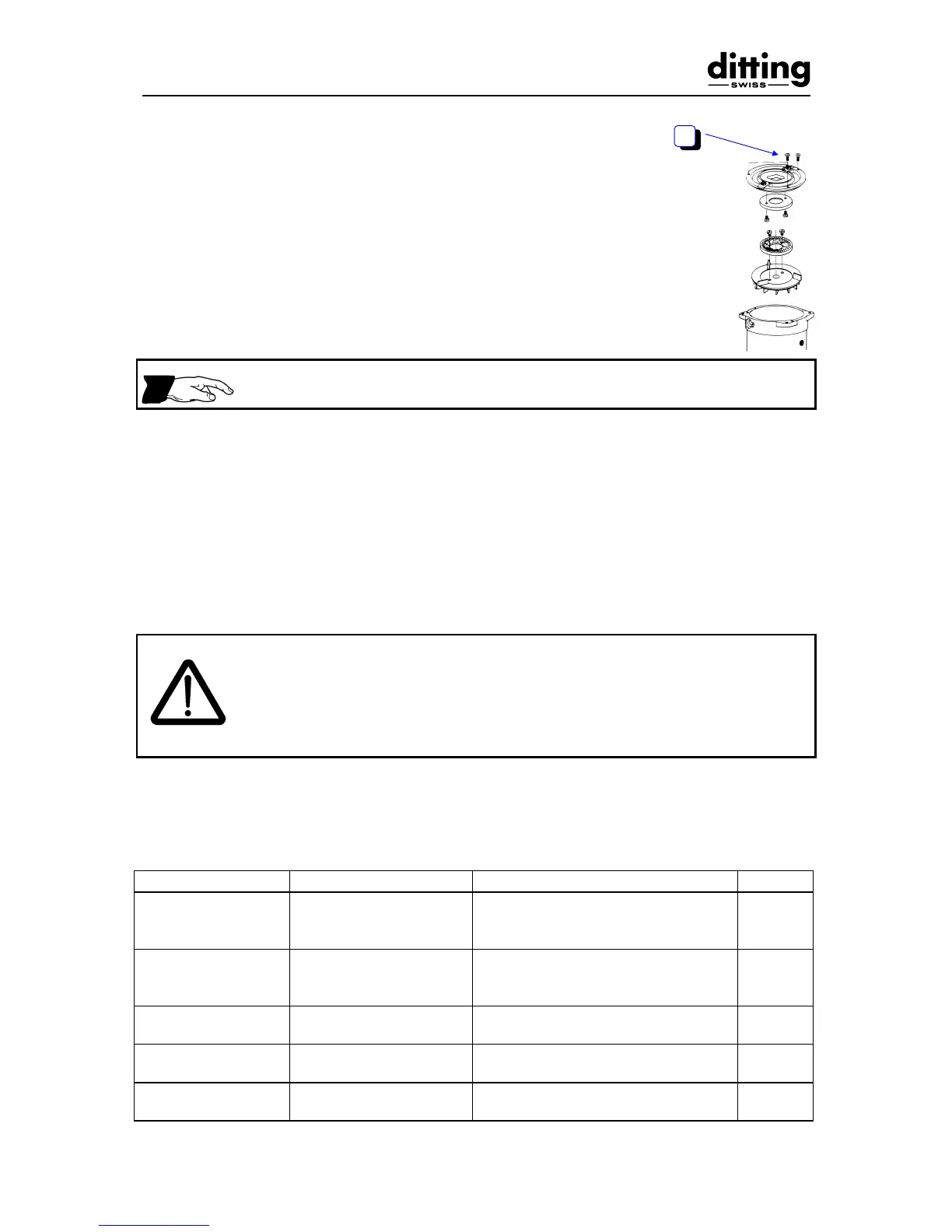
- Retighten screws (6) of the stationary disc
flange. For this purpose the hopper (4)
must be removed again and then re-fitted.
Retighten hopper lock (3) after reassembly (see illustration page 11).
- Perform basic setting (calibration)
according to 3.3.1.
4 Faults / action
4.1 Action in event of a fault
When operated by customers, it must be ensured that personnel are notified
in the event of a fault and that customers do not try to repair the machine
themselves.
The grinder must only be opened, inspected and dismantled by persons
familiar with the method of operation of the machine, who have previously
read these operating instructions through carefully.
4.1.1 Table with possible malfunctions
Fault Result Action (information text) Re.
Grinder cannot be
switched on
ON/OFF switch does
not light
Circuit breaker
Check power cable, connection
and building fuses
Reset circuit breaker
4.2.4
Grinder jams, motor
does not start
ON/OFF switch lights
Unblock discharge tube
Unblock grinding unit
4.2.1
4.2.2
Irregular grinding Check grinding discs for wear and
replace if necessary
3.4
Increased amount
of dust
Check grinding discs for wear and
replace if necessary
3.4
Bag slips or is no
longer held properly


 To Next Page