15
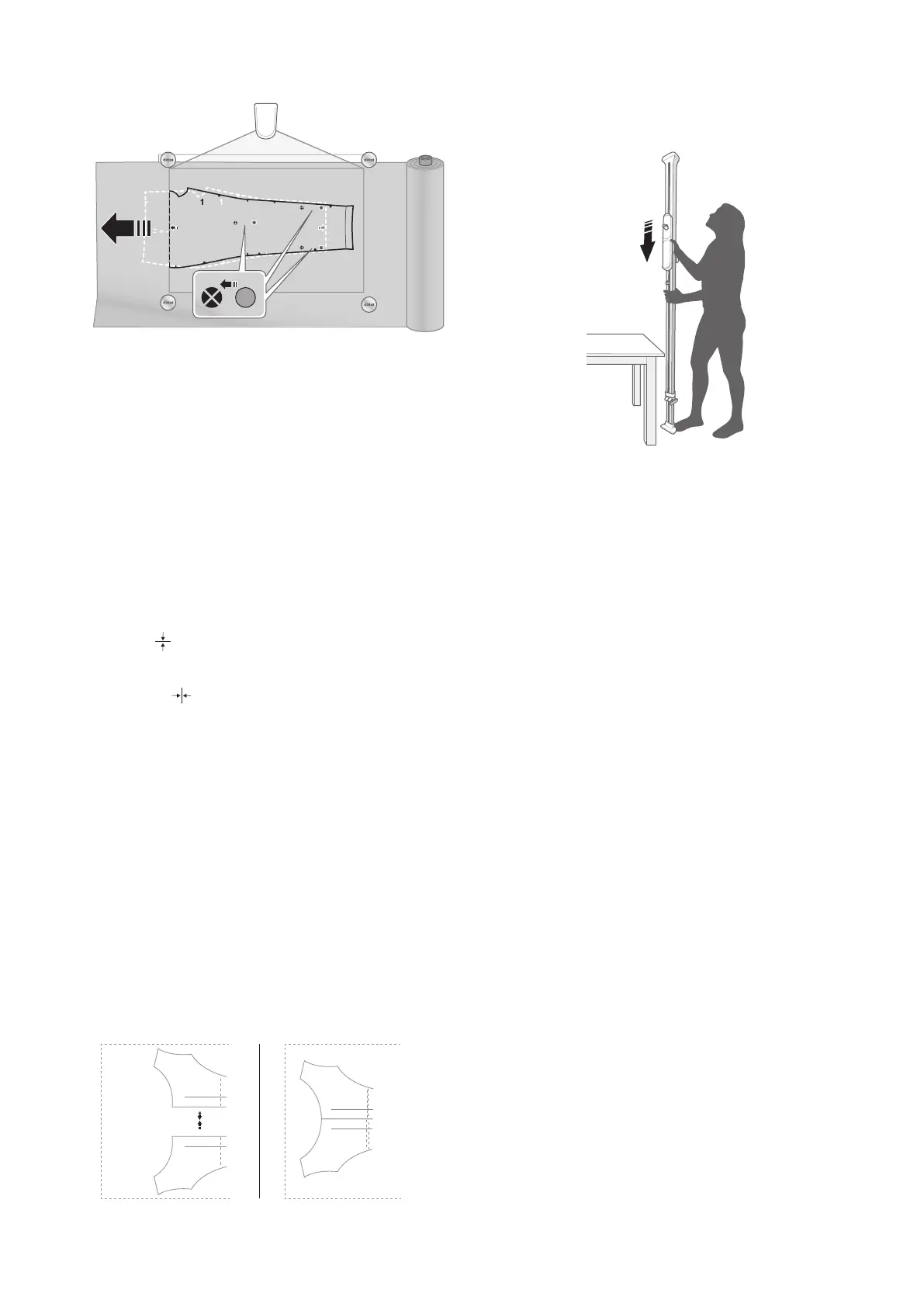
9. Align pattern lines and target
stickers with new projected targets.
Note! The right scroll bar shows a Splicing Map of
the pattern that indicates which splice frame is being
projected.
To Mirror a Pattern
Mirroring is the same as flipping the pattern.
Note! Spliced pattern pieces cannot be mirrored
1. Select your pattern piece and drag-and-drop the
pattern piece to the workspace.
2. Tap the pattern piece on your workspace that you
want to mirror.
3. Select “Mirror vertical” to flip the pattern piece
vertically.
4. Select “Mirror horizontal” to flip the pattern piece
horizontally.
5. Select “OK”.
To Convert a Cut-on-fold Pattern
Piece
A sewing pattern that has two symmetrical sides can be
cut on the fold of your fabric. The Ditto app enables you
to convert a cut-on-fold pattern piece to a pattern for
unfolded fabric.
1. Select your pattern piece and drag-and-drop the
pattern piece to the workspace twice.
2. Mirror one piece across the fold line. Refer to “To
Mirror a Pattern” on page 15.
3. Use 1 finger and Press-and-Move to join the
pattern pieces together along the fold line.
5
5
5
5
Note! Do not cut the center fold line when cutting.
DISASSEMBLY
1. Disconnect the power plug from the power source.
2. Slide the projector cart down the beam to eye level.
3. Remove the cord covers.
4. Disconnect the power plug from the projector.
5. Make sure that the projector is not covering the joint
of the beam.
6. Turn the projector 180 degrees clockwise so the lens is
facing the ceiling pad.
7. Remove the projector and place it on a flat surface out
of the way.
8. Press down on the beam to depress the spring loaded
foot and tilt the beam to the side.
9. Put the beam on a table or on the floor
10. Loosen the base knob.
11. Slide the telescoping piece into the lower beam
12. Tighten the base knob.
13. Push and turn to loosen the center knob until it pops
up and turns freely. Note that the knob remains
connected to the beam.
14. Pull the two beam sections apart.



 To Next Page