15
5. Restart/Connect Flight controller Configuration (Use Betaflight as example)
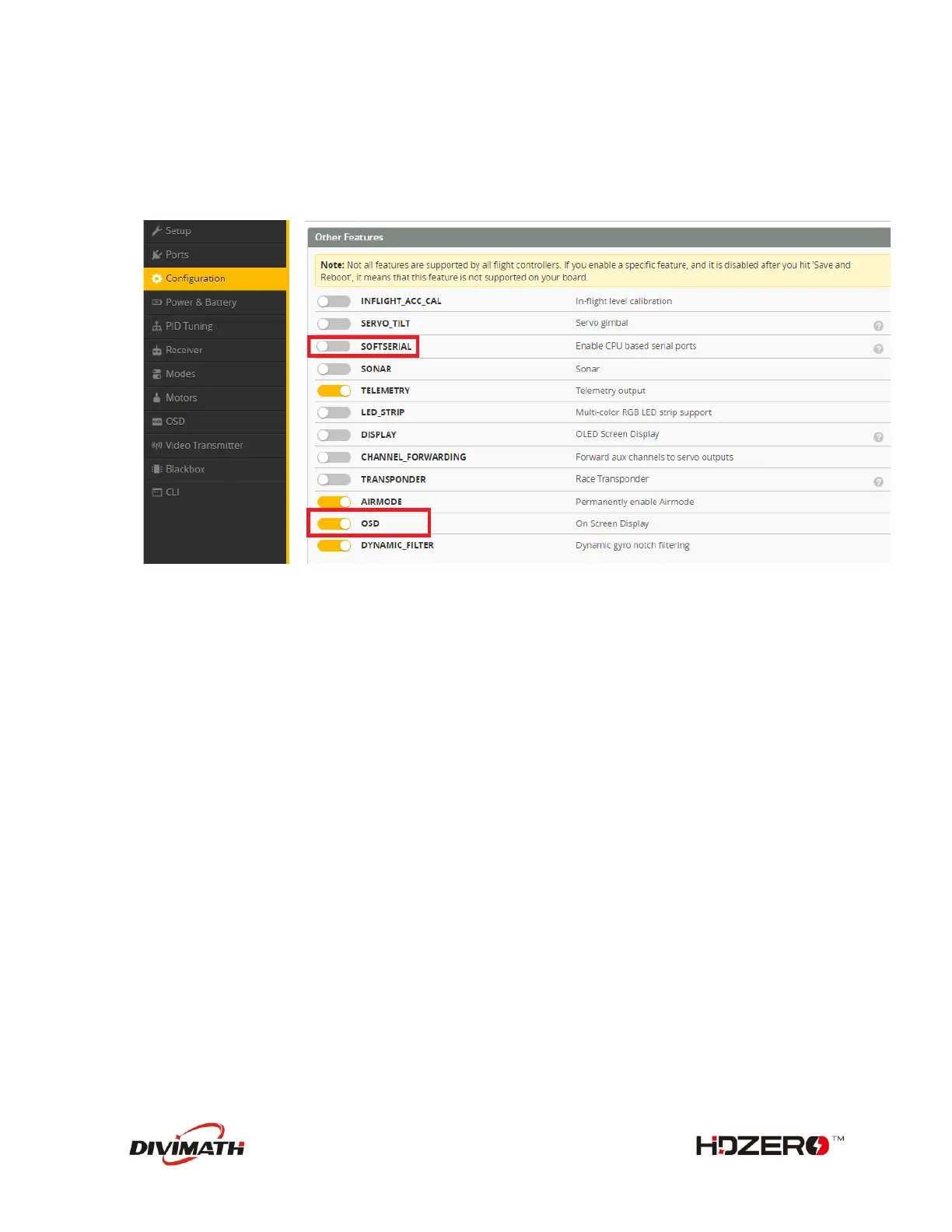
- Go to configuration tab
- Activate OSD function
- Activate Telemetry function
- SAVE
- Go to OSD tab, and configure the items you want to show on your screen
- SAVE
- Go to CLI tab to enable MSP Display Port
set osd_displayport_device = MSP
set displayport_msp_serial = YOUR_UART_PORT_NUMBER - 1
save
In our example, we used UART5 for MSP Connection (UART5 - 1 = 4) , we will enter this :
set osd_displayport_device = MSP
set displayport_msp_serial = 4
save


 To Next Page