1
HDZero Video Transmitters
Whoop Whoop Lite Race V1 Race V2
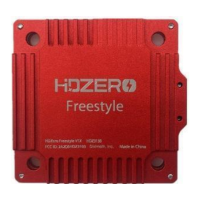
Race V3 Freestyle V1 Freestyle V2
What is HDZero?
PUSH YOUR SKILLS TO THE LIMIT
HDZero offers industry-leading low latency, giving you more time to react and the best possible chance of hitting
that next gap. With its smooth, consistent FPV video feed, you’ll experience the same locked-in feeling you get
with analog video–but with the clarity of HD.
MAKE IT AN EVENT
HDZero supports the standard 5.8ghz video channels, meaning you can have up to 8 simultaneous pilots flying
either full-quality HDZero or analog video. When you’re ready to take a break and spectate, you can tune in to any
channel and view the pilot’s feed with no loss of quality, giving you the same feeling of being in the air yourself.
UPGRADE YOUR FLEET
From 1S whoops to long-range wings, HDZero offers a variety of VTX and camera options to suit every build. You
may even be able to use the gear you already have–the HDZero receiver will work with any FPV goggle with an
HDMI input. HDZero can grow with your needs and fit perfectly into your preferred FPV craft.
RAPIDLY EVOLVING SYSTEM
HDZero is rapidly evolving. Please always use the latest firmware that is located at www.hd-zero.com/document.

 Need help?

 To Next Page
 General