21
Unlock RF Power Limit
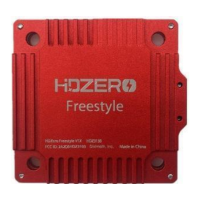
HDZero Freestyle V1/V2 VTX is compliant with FCC 47 CFR 97.215(c). It is limited to 25mW/200mW out
of the box, but it is capable of up to 1W if you have the required HAM radio license to use this power
output. Download the special firmware from www.hd-zero.com/document to enable higher RF output
modes.
Here are the steps:
1. Download firmware Unlock_FreestyleVTX.zip.
2. Unzip it to the root directory of SD Card.
3. Use the VRX to flash this firmware to the VTX.
4. Power on the VTX, BLUE LED will flash 3 times after it is done. This step unlocks VTX.
5. Power the VTX off.
6. Unzip normal VTX firmware to the root directory of SD Card.
7. Use the VRX to flash this firmware to the VTX.
8. The higher RF output options will now be available.
Please note once the VTX is unlocked, there is no need to unlock it again when there is newer firmware
available.
Unlock Low Band
The VTX low band needs to be unlocked before it can be used. Make sure your region allows low band
before unlocking. To unlock low band for VTX:
Here are the steps:
1. Download Unlock_Lowband.zip from www.hd-zero.com/document
2. Unzip and flash as a firmware update to your VTX.
3. Power on VTX. The BLUE LED should flashes 5 times and then goes out, to indicate that the unlock
has completed.
4. Flash the latest release firmware to your VTX. When you switch channels in the VTX menu you will
see additional channels from L1 to L8.
Using SmartAudio (Not recommend)
HDZero VTX can be controlled by FC using the TBS SmartAudio V2.1. In this case, the VTX will output RF
power and channel commanded by FC directly. To avoid conflict, If SmartAudio is enabled, only
OFFSET_25MW and SHORTCUTS are available in the VTX menu.
Notes:
- HDZero VTX outputs 0.1mW when SmartAudio PIT mode is ON.
- HDZero VTX does not support SmartAudio out range PIT mode.
- When HDZero Race VTX boots up, it will automatically detect the existence of a valid SmartAudio
link with FC within 10 seconds. If the link exists, FC will fully control race VTX’s RF output power and
working frequency.
You don't need to set up the vtx table manually for betaflight, VTX will set it up automatically via uart
port.
With SmartAudio, the user can change channel number and power level even when aircraft is in the air.



 To Next Page