17
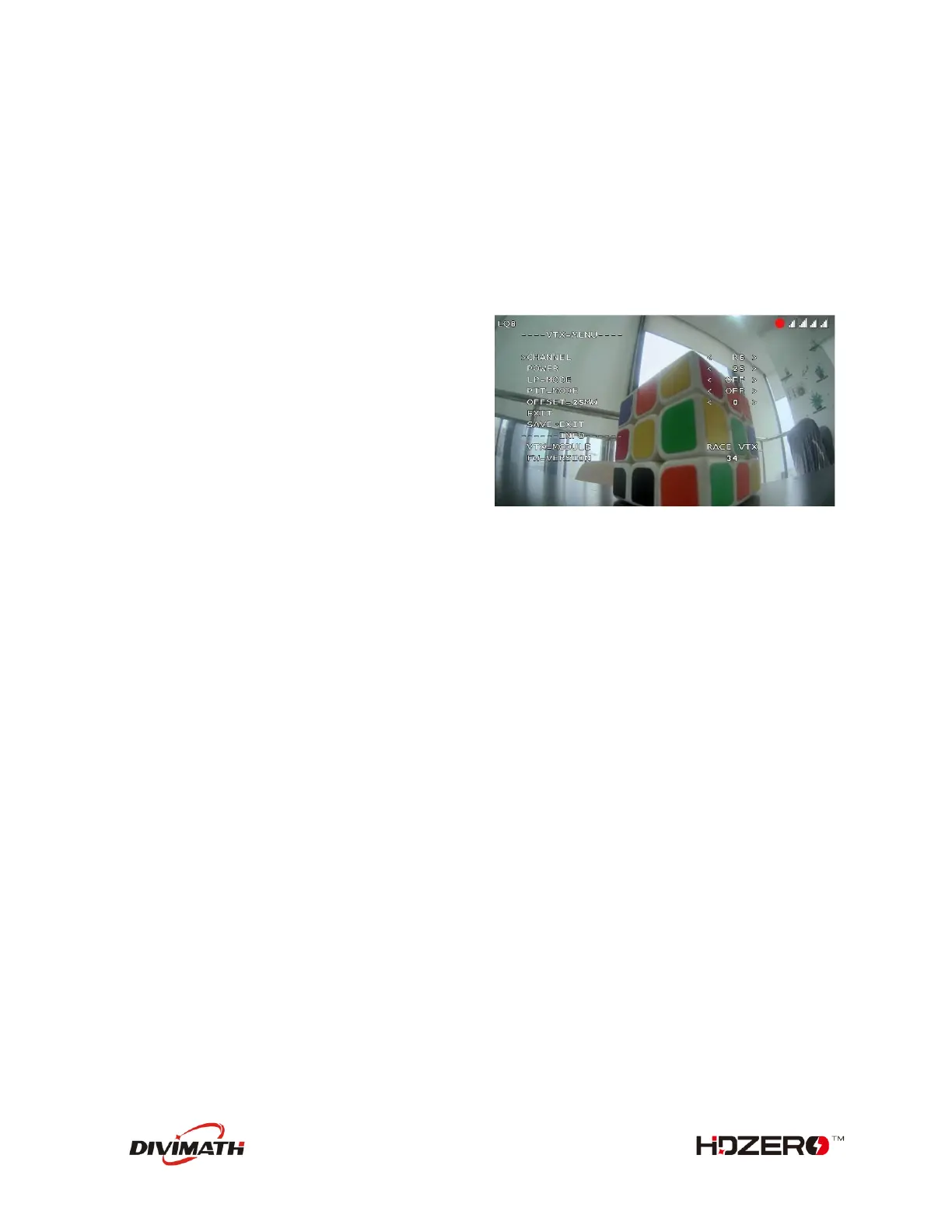
Using VTX Menu (Applicable to all HDZero VTXes)
VTX menu will be available when
- The VTX does not support SmartAudio, or
- VTX.SA pin is not physically connected with FC, or
- VTX.SA pin is connected but the related UART port of FC is disabled.
All HDZero VTXs have the following settings for its RF power level management. These settings can be
changed using the VTX menu.
POWER: The desired RF power level is selectable
between 25mW, 200mW (and 500mW or MAX for
certain VTXes). The actual RF power level depends
on the following settings and FC status.
PIT_MODE: The three modes of this setting are:
- P1MW: The output RF power will be 0.1mW (in
order to not interfere with other pilots) in this
mode. If the quad is armed, RF output power
will be automatically set to the POWER within
seconds.
- 0MW: There will be zero RF output in this mode. If quad is armed, RF output power will be
automatically set to POWER within seconds.
- OFF: The output RF power will be set to POWER setting.
(Note that after first arm, the vtx will not enter pitmode again until vbat power is reset)
LP_MODE:
- ON: If PIT_MODE is OFF and the quad is disarmed, the RF power level will be forced to 25mW
regardless of POWER setting. The output RF power will be set to POWER setting when quad is
armed.
- OFF: The output RF power will be set to POWER setting.
OFFSET_25MW: It is to fine tune the RF output power to be exactly 25mW. The range is [-10:10], and
step size is about 0.3dB per step.
Notes:
- HDZero VTX will still become hot even on P1mW mode. It is better to keep VTX on PIT 0mW mode
when it will be idle for a while. Though the receiver will not have live video on this mode, it will
come back as soon as the quad is armed.
- Use sticks shortcut to enter 0mW, and to exit 0mW mode.


 To Next Page