©
2016 DJI All Rights Reserved.
15
OSMO+ User Manual
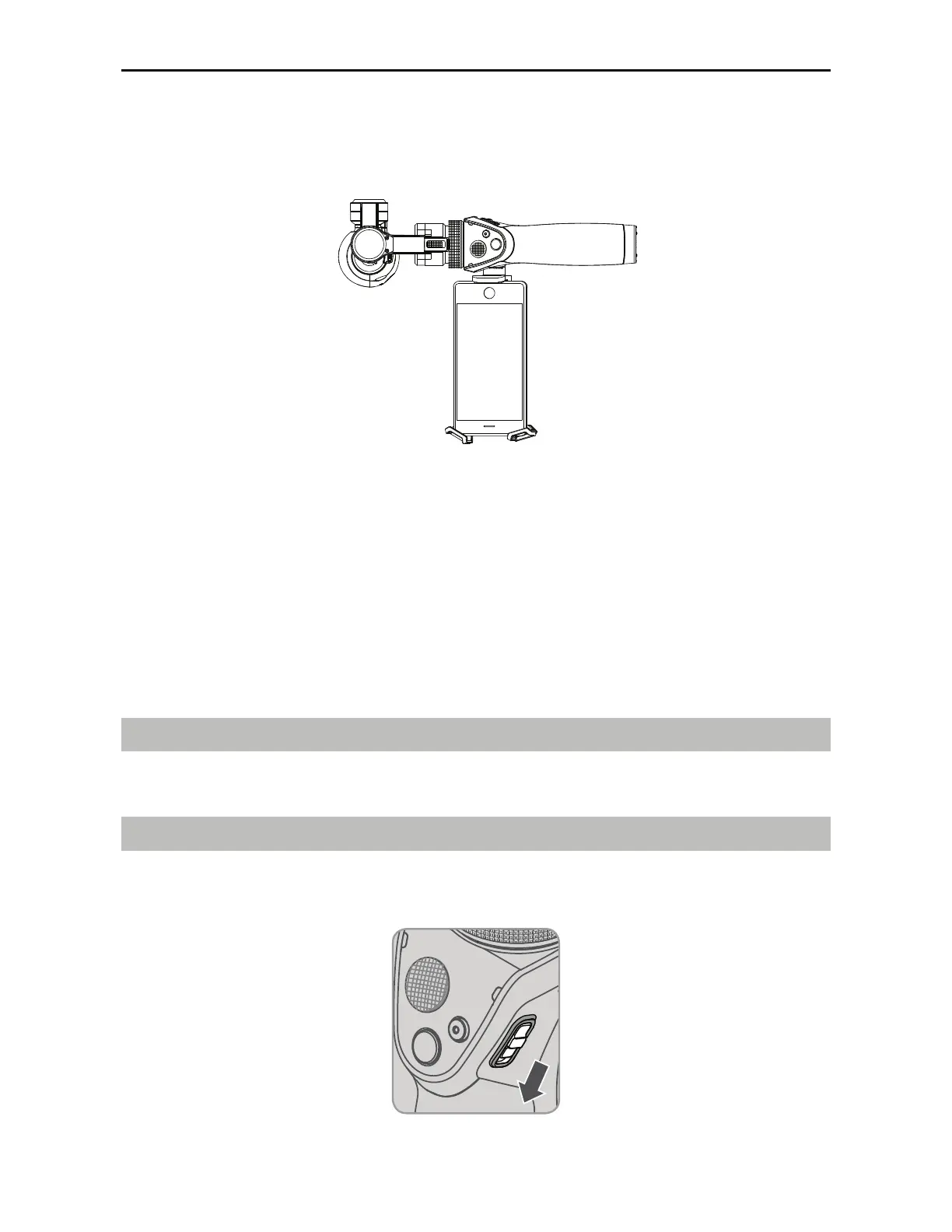
Portrait Mode
Rotate the Osmo+ 90 degrees to the left or right to go from Upright Mode to Portrait Mode.
DJI GO App
Watch a live HD video feed on your mobile screen through the DJI GO app. The Osmo+ is
complemented by the DJI GO app, which provides shooting modes such as motion timelapse
and 9-shot panorama.
5IFBQQBMTPBMMPXTZPVUPDPOmHVSFDBNFSBBOEHJNCBMTFUUJOHTJOKVTUBGFXUBQT
Download
Search ‘DJI GO’ on the App Store or Google Play and download the app to your mobile device.
Connecting to the DJI GO App
1. Turn on the Osmo+. Hold the handle still and avoid touching the gimbal while the Osmo+
starts up.



 To Next Page