©
2016 DJI All Rights Reserved.
17
OSMO+ User Manual
[1]
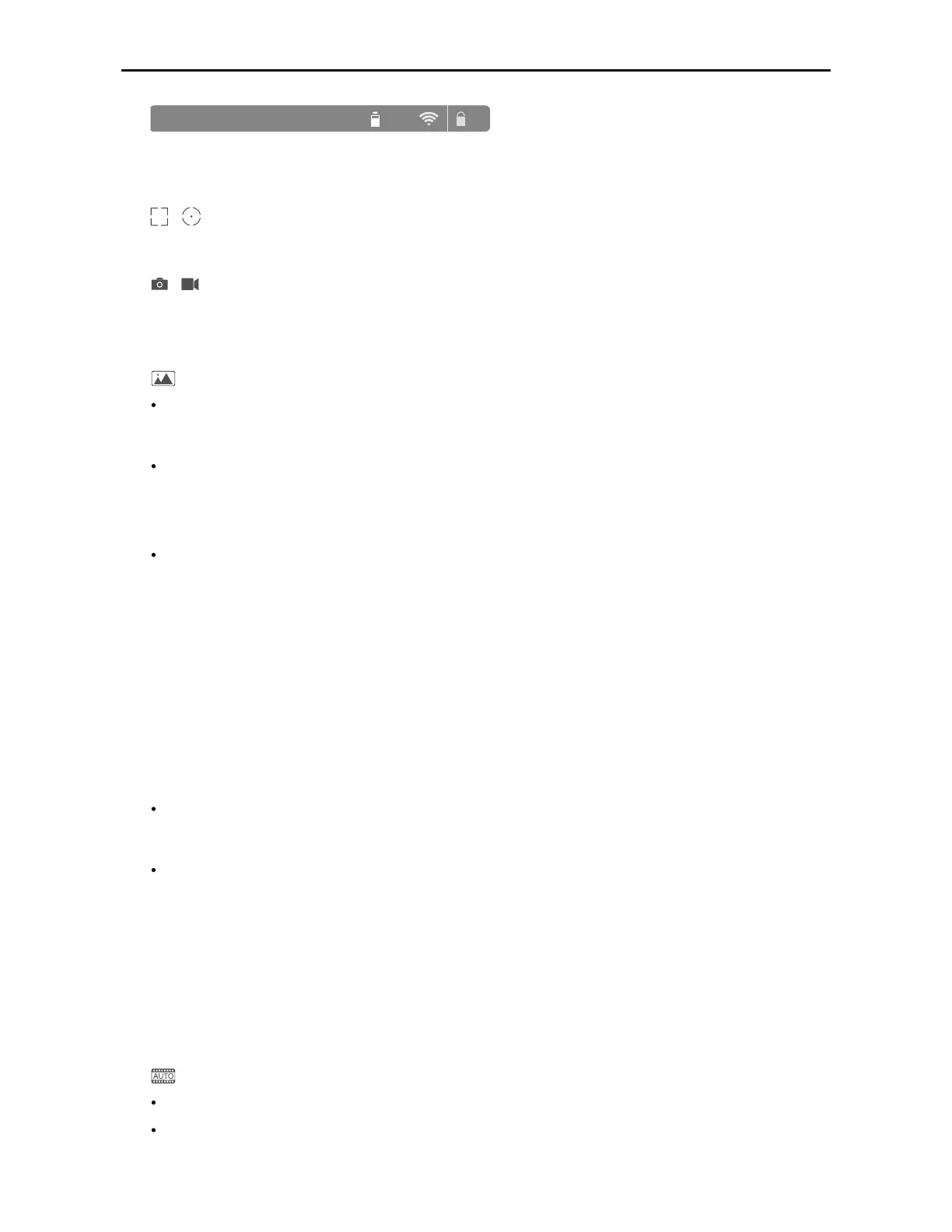
ISO:100 1/25 f:2.8 EV:0 JPEG 453 89%
AE
Information Bar
Displays the camera parameters, current battery level, and Wi-Fi signal strength.
[2]
/
Auto Focus / Metering Mode
Tap to switch between Auto Focus and Metering Mode.
[3]
/
Photo/Video Toggle
Slide to switch between photo and video mode.
[4]
Photo/Video Settings
Photo Modes
Single Shot
Normal, 5s or 10s delayed shot, HDR.
Multiple Shots
Burst shooting 3/5/7 frames, Auto Exposure Bracketing (AEB) 3/5 bracketed frames at
0.7EV Bias.
Panorama
'PSXBSE5IFDBNFSBXJMMSPUBUFEFHSFFTBOESFOEFSBQBOPSBNB
"VUP5IFDBNFSBXJMMSPUBUFEFHSFFTBOESFOEFSBQBOPSBNB
4FMmF5IFDBNFSBXJMMQPJOUBUZPVQBOEFHSFFTBOESFOEFSBQBOPSBNB
.BOVBM5IFDBNFSBXJMMQBOBTQFDJmFEEFHSFFFBDIUJNFZPVUBQUIFTIVUUFSCVUUPO
Up to 8 photos can be taken in manual mode to create a panorama. Always keep
objects in the right side of the shear.
4IPU1BOPSBNB.BUSJY5IFDBNFSBXJMMQBOBOEUJMUUPDBQUVSFBTIPUHSJEDSFBUJOH
a large multi-image photo.
Interval Timer
5s, 10s or 30s intervals.
Timelapse
There are Regular and Motion Timelapse Mode. In Motion Timelapse Mode, use up to 5
camera positions to create a moving timelapse.
1) Choosing to store timelapse in ‘JPEG
+
Video’ format limits the minimum interval to 2
seconds. Disabling this option reduces the minimum interval to 1 second.
2) If the timelapse interval is 2 seconds or more, the camera will apply digital stabilization
to the live HD video on your mobile device.
Video Modes
"VUP/PSNBMWJEFPCBTFEPOZPVSDBNFSBTFUUJOHT
4MPX.PUJPO3FDPSEFEBUQBOEGQT



 To Next Page