Conguring Your Treadmill
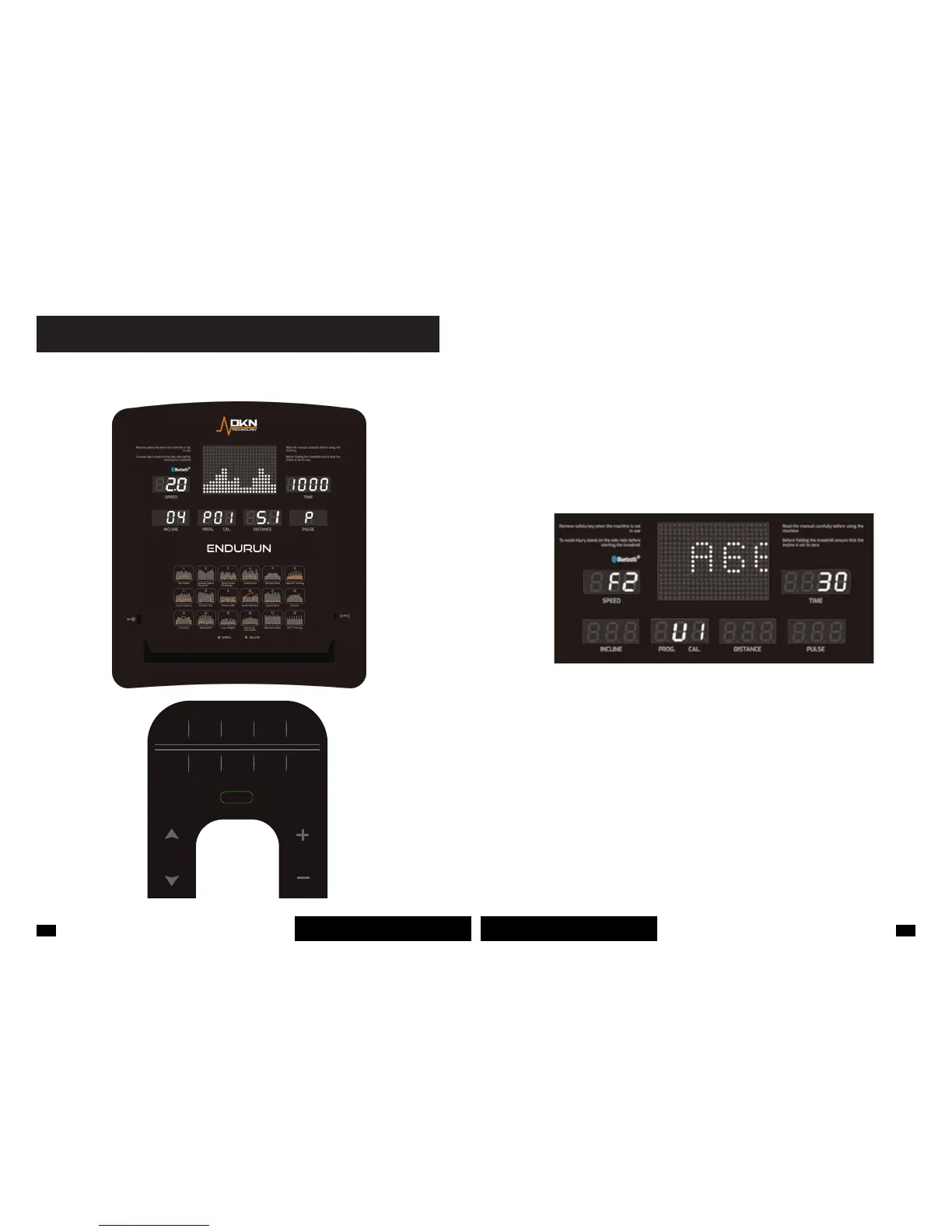
When you turn on the treadmill for the rst time the initial display is the user prole setting.
Using user proles allows you to enter your personal data to get personalised feedback on your
workout performance.
Press PROG. key to select a user prole and choose from 5 available proles including U1, U2,
U3, U4 and U5.
Once the user prole is selected, press MODE key to move to the next window. You can set
gender (01 -male and 02 - female), age, height and weight for each user prole. Press SPEED
+/- keys to adjust the values and after entering your data, press MODE key to move to the next
window. Then, press START key to save personal data and move to the next step.
Bellow are the ranges for each parameter when setting up a user prole:
Age: 0-99; default 25
Height: 100-200cm/40-80in
Weight: 20-150kg/40-330lbs
Please Note:
The functions including Gender, Age, Height and Weight are displayed in the SPEED window,
whereas values for each of them are displayed in the TIME window.
Metric Units: Height is displayed in cm, weight in kg.
Imperial Units: Height is displayed in inches (1”=2.54cm), weight in lbs (1lbs=0.45kg)



 To Next Page