•
Automation
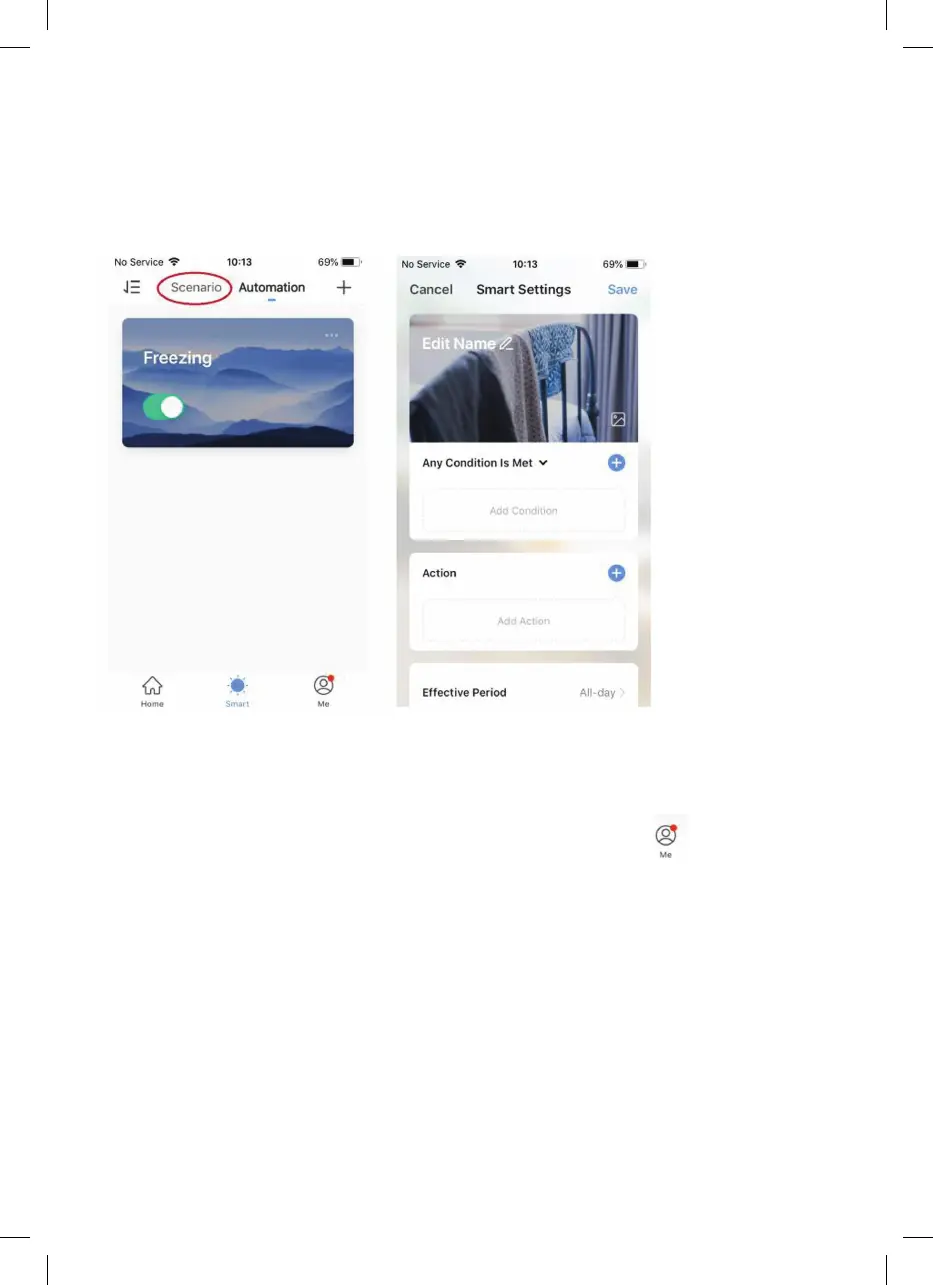
Automation allows you to set up actions triggered by external events. Triggers include the
weather, temperature, humidity, sunset, sunrise, and your location. You can add multiple
actions and multiple triggers for each Automation event, so you could, for example, set
all your heaters to come on at 21 °C if you arrive home when it’s snowing.
To create new scenarios, press the + button while on the Scenario screen.
•
Sharing
You can share control of your devices with family members. Go to then Family
Management, then Add Member. Add your new family member’s email address or
phone number to send an invitation. Note that you can only share numbers and email
addresses that are connected to app-compatible devices, such as smartphones or
tablets.
When you add new members, you can choose whether or not to set them up as
administrators. Members added as administrators will have all family permissions,
including the facility to delete the family. Members not set to administrator can control


 To Next Page