Using the Heater
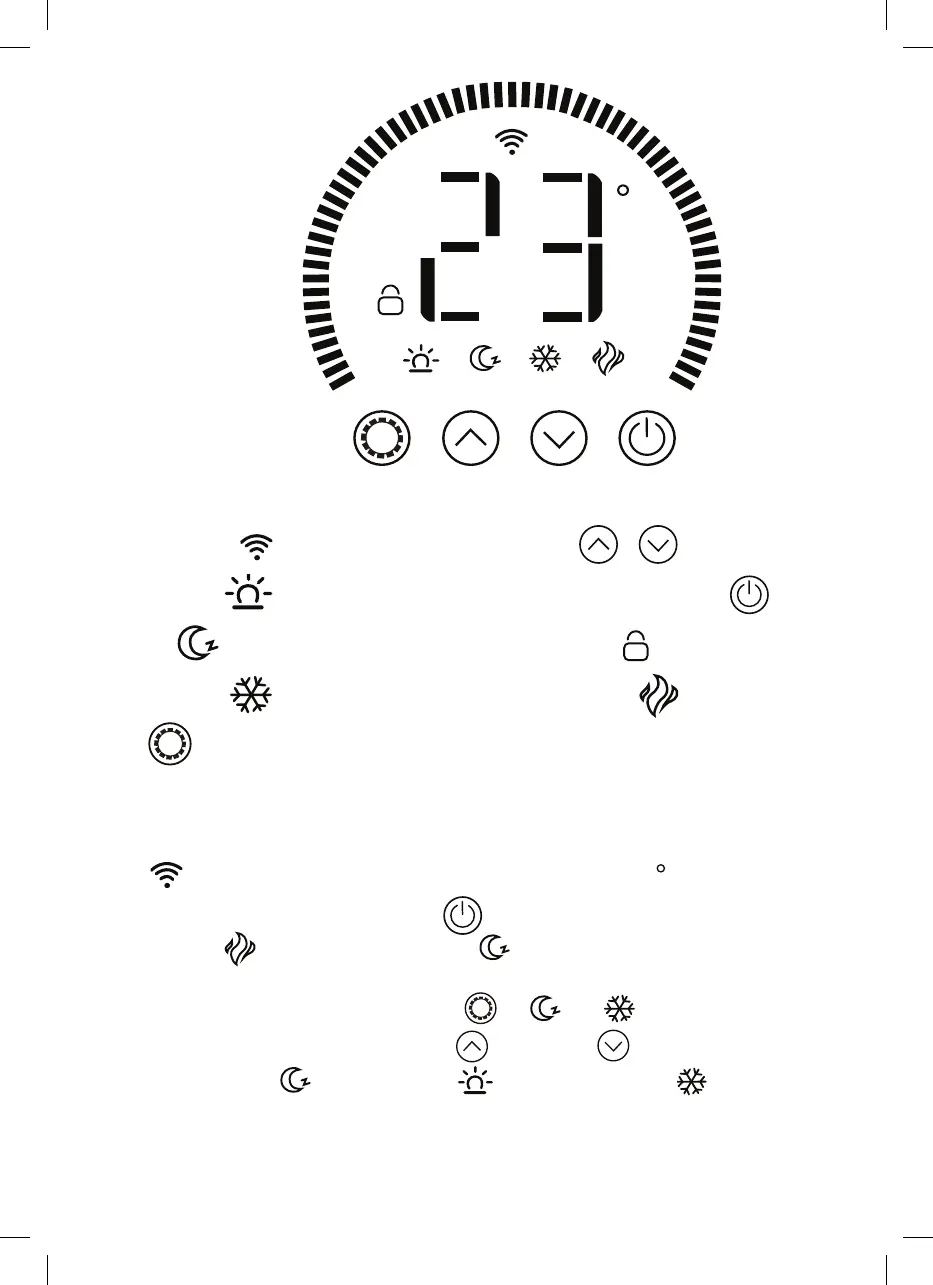
Display Screen
WiFi Connection
Comfort Mode
Eco Mode
Anti-Frost Mode
Setting
Up/Down
Power switch/WIFI setting
Keyboard lock
Working Status:
If it is heating, the icon is displayed
Heater Control
1. The heater will beep as it powers on. The heater starts on standby mode, displaying
the
WiFi icon and the current temperature of the room in
C
.
2. To initiate heating, press the ON/OFF
button. When first used, you will see the
heating icon
and the ECO mode icon
, This means the device is in the ECO
mode state. The heater has a memory function; when you turn it on after the first
time, it will be in the last working state:
or
and
.
3. To change heating mode, press the UP
and DOWN
to cycle through the
modes: ECO mode
, Comfort mode
and anti-frost mode
.


 To Next Page