Smart Features
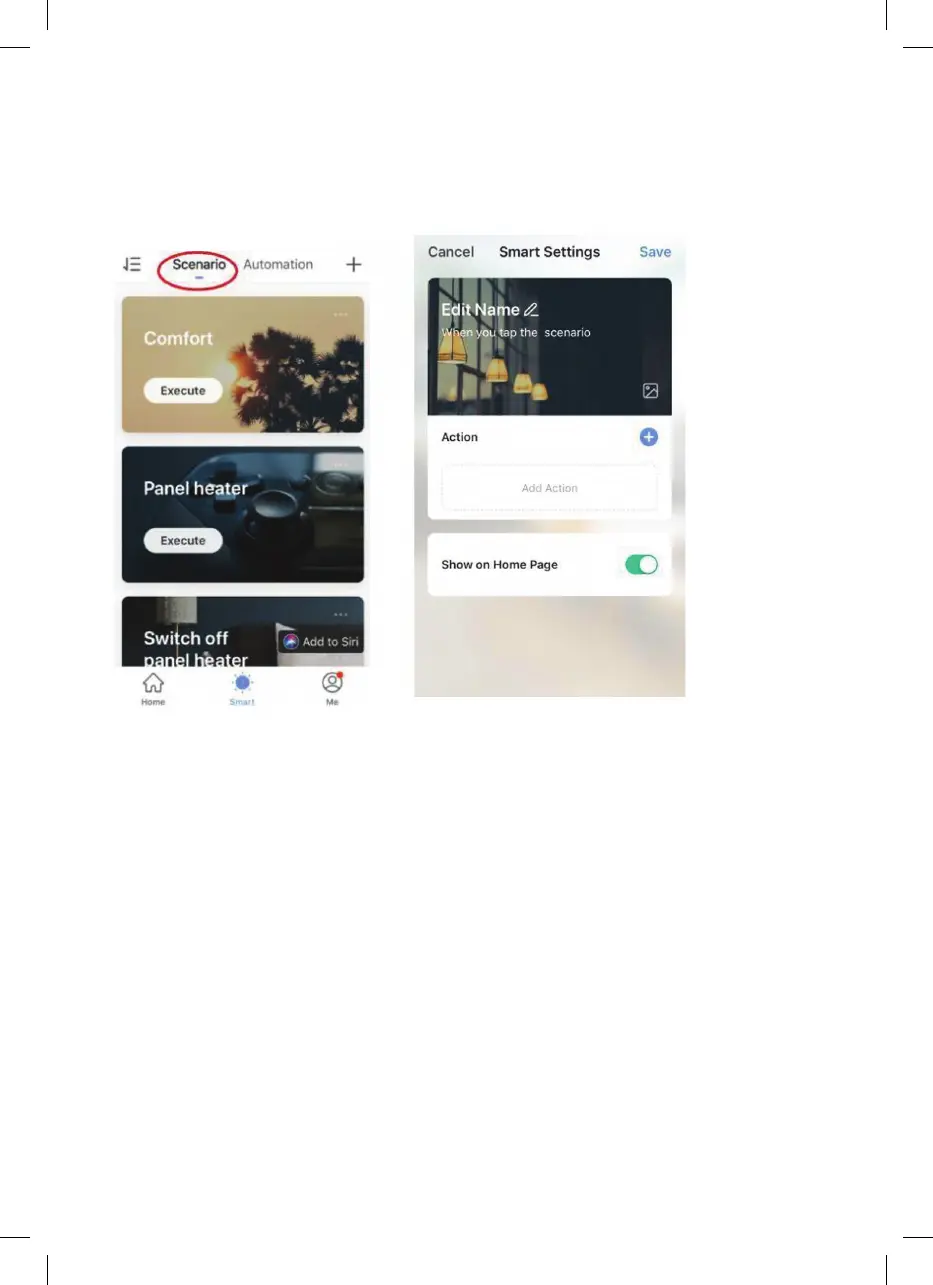
The “Smart” section of the SmartLife app allows you to add functions that make your
heating easier and more intuitive to control. The Smart section can be reached by
pressing the Smart icon at the bottom of the app.
•
Scenarios
Scenarios are customisable commands that bring all your devices together to perform
set actions. They appear as shortcuts on the app, which you can trigger by tapping the
image, offering a quick and easy means of coordinating your heating. For example, you
could create a “Heat Boost” scenario that, at one tap, switches all your panel heaters
on, at high power mode, at 30 °C.
To create new scenarios, press the + button while on the Scenario screen. You can add
as many heaters as you want to a scenario. You can control whether they switch on or
off, what mode they run in, and what temperature they are set to. Any device controlled
by the SmartLife app can be added.


 To Next Page