1101 Series Installation Guide | Digital Monitoring Products 1
GET STARTED
The 1101 Series Wireless Universal Transmitters are two‑way supervisory wireless transmitters typically used for door
and window applications. The 1101E features 128‑bit AES encryption.
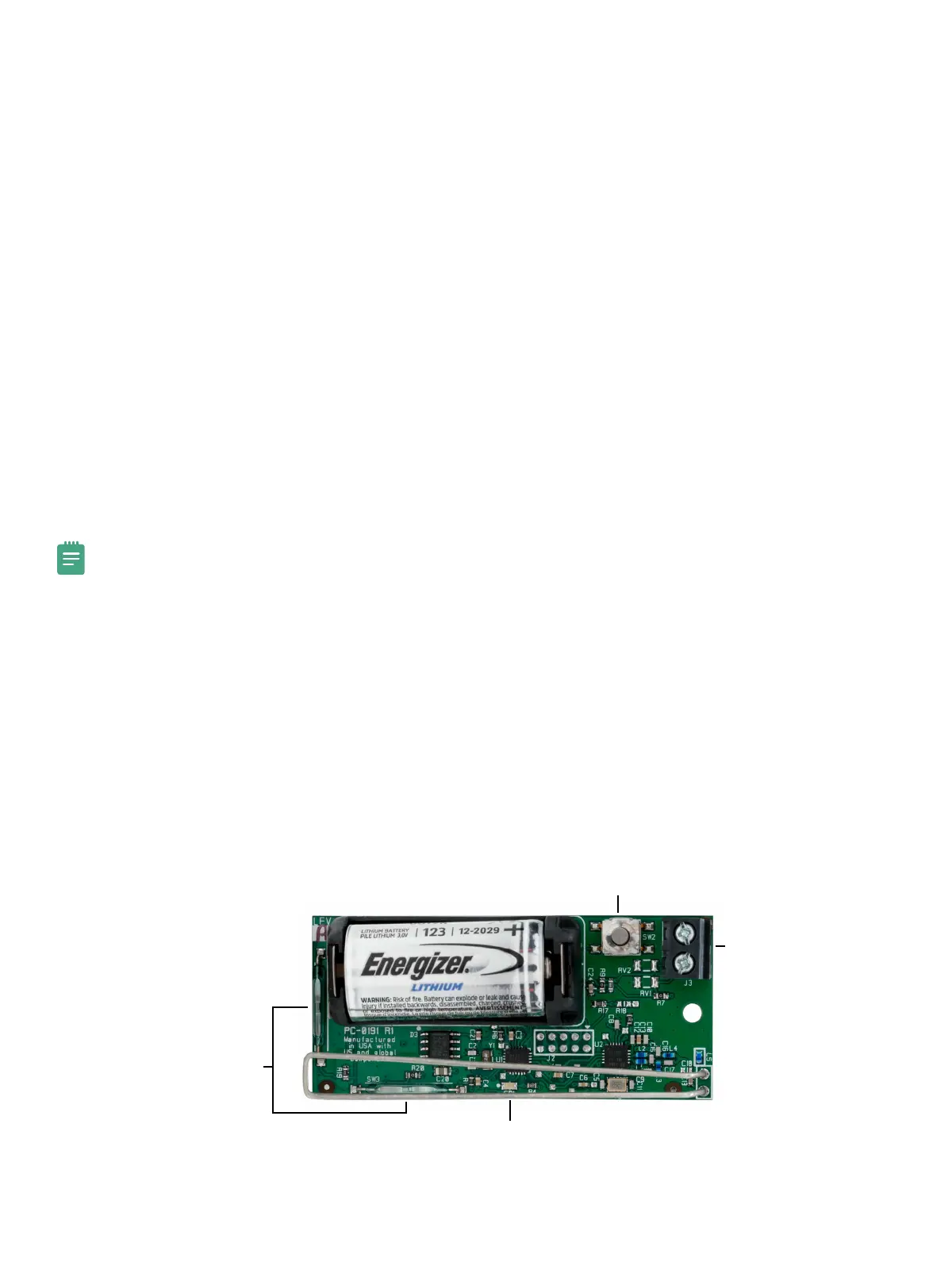
The transmitter provides a cover tamper, magnetic reed switch, and an onboard terminal block to allow for external
contact wiring. Both sets of contacts, internal and external, can be programmed to operate at the same time. This
allows two independent zones to operate from one 1101.
The 1101 Series also features Disarm/Disable functionality. When this option is enabled, Zone Tripped messages are
disabled when the system is disarmed.
What’s Included
▶ One 1101 Wireless Universal Transmitter
▶ One Magnet with Standard and Commercial Housing
▶ One 3.0 V lithium CR123A battery
▶ Hardware pack
Compatibility
▶ All DMP 1100 Series Wireless Receivers
▶ All DMP XT Series and XR Series panels
Note: To enable encryption on 1101E models, Version 183 is required for XT and XR Series panels and Version 300
is required for Wireless Receivers.
Procedure
To install an 1101, this guide walks you through these required steps:
1. Program the panel.
2. Install the battery.
3. Use the LED Survey to select a location.
4. Mount the transmitter.
5. Wire external contacts (optional).
6. Test the transmitter.
PCB Layout
Figure 1: 1101 Layout
Magnetic Reed Switches
Survey LED
Tamper Switch
External Contact
Terminal Block


 To Next Page