Radio Tuner, USB
and AUX Input Operation
Radio Operation
USB Operation
AUX Input Operation
Press BAND to select between FM1, FM2, FM3, and AM1, AM2 band.
Manual Radio Station Tuning
Press or to seek radio stations up or down the frequency band
step by step.
Automatic Radio Station Tuning
Press and hold or to automatically seek the next or previous
strong signal radio station. (When the signal is weak don’t use auto search).
Insert a 3.5mm connector in the rear AUX port. Connect the other end of the
3.5mm connector to the headphone output of an audio device, MP3 player,
etc.
Connecting a USB Device (sold separately)
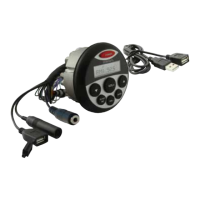
Play MP3 les from many mass storage devices by connecting them to the
MA3 USB port.
Playing Music
When a USB device is rst connected, playback will begin automatically.
Depending on the number of les and folders, the device may take several
seconds to begin playback. If no valid MP3 les are detected, “USB PLAY”
will be displayed.
Track Select
Press to skip to the beginning of the next track. Press to return to
the beginning of the previous track.
Fast Forward and Reverse
Press and hold or to fast forward or reverse a track.
Pause
Press to temporarily stop playback.
Press again to resume a track.


 To Next Page