19
S
S
e
e
t
t
t
t
i
i
n
n
g
g
U
U
p
p
t
t
h
h
e
e
P
P
r
r
i
i
n
n
t
t
e
e
r
r
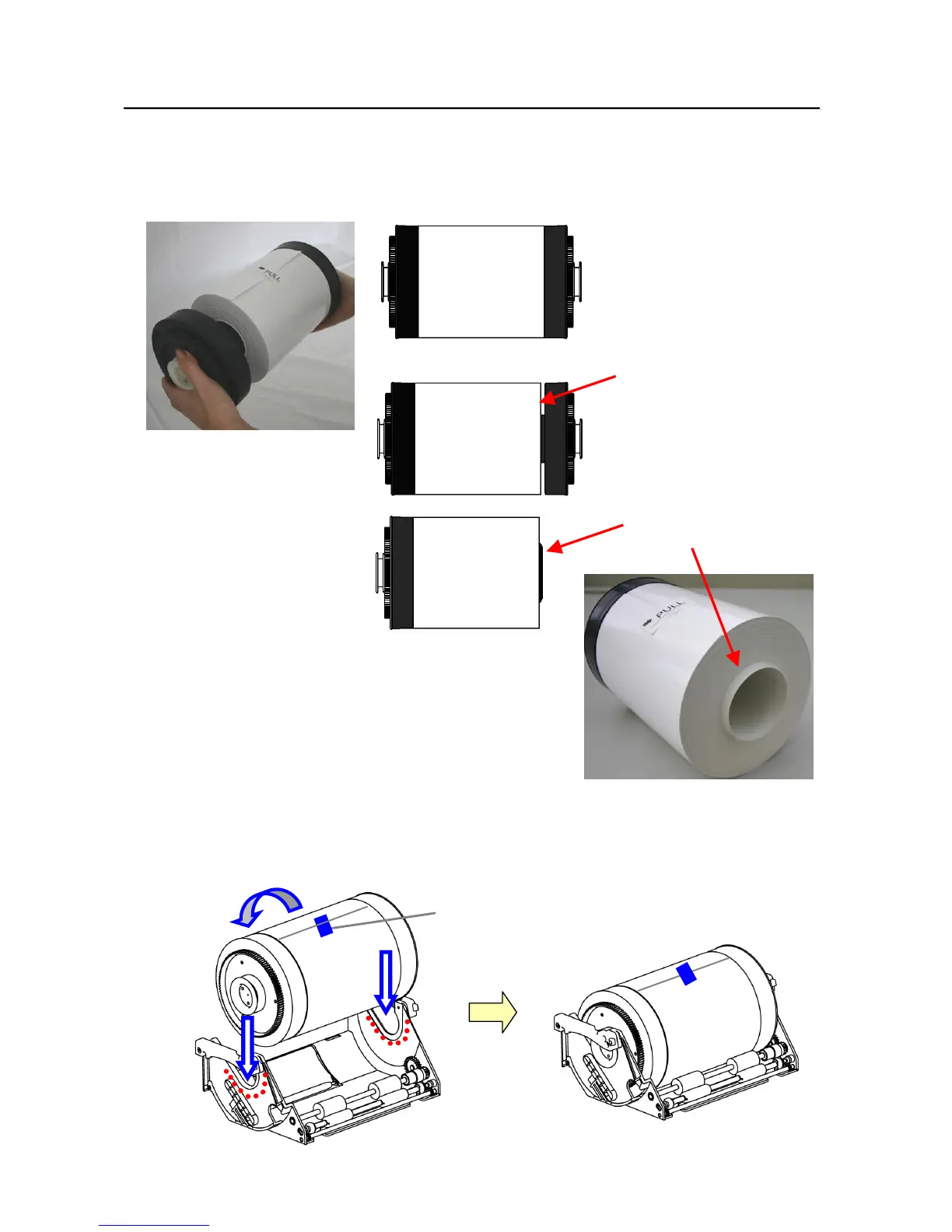
5. Install the new roll of paper on the paper holder.
When installing it, make sure there are no gaps between the paper and the holder.
Make sure the paper is not sticking out. If the end of the roll is uneven (with paper sticking out), remove it
from the holder, and flatten it.
Check for uneven ends
6. Set the paper holder into the paper cassette.((Set it firmly all the way in)
Set the paper in the direction indicated below.
Paper direction
Seal
○
×
×



 To Next Page