2 DNP IMS America Corp.
Install Using the Found New Hardware Wizard Software Update Procedure
INSTALL USING THE FOUND NEW HARDWARE WIZARD
The following describes the driver installation for the DS40 printer, but instructions are the same
for the DS80. Substitute “DS80” for “DS40” when following the instructions.
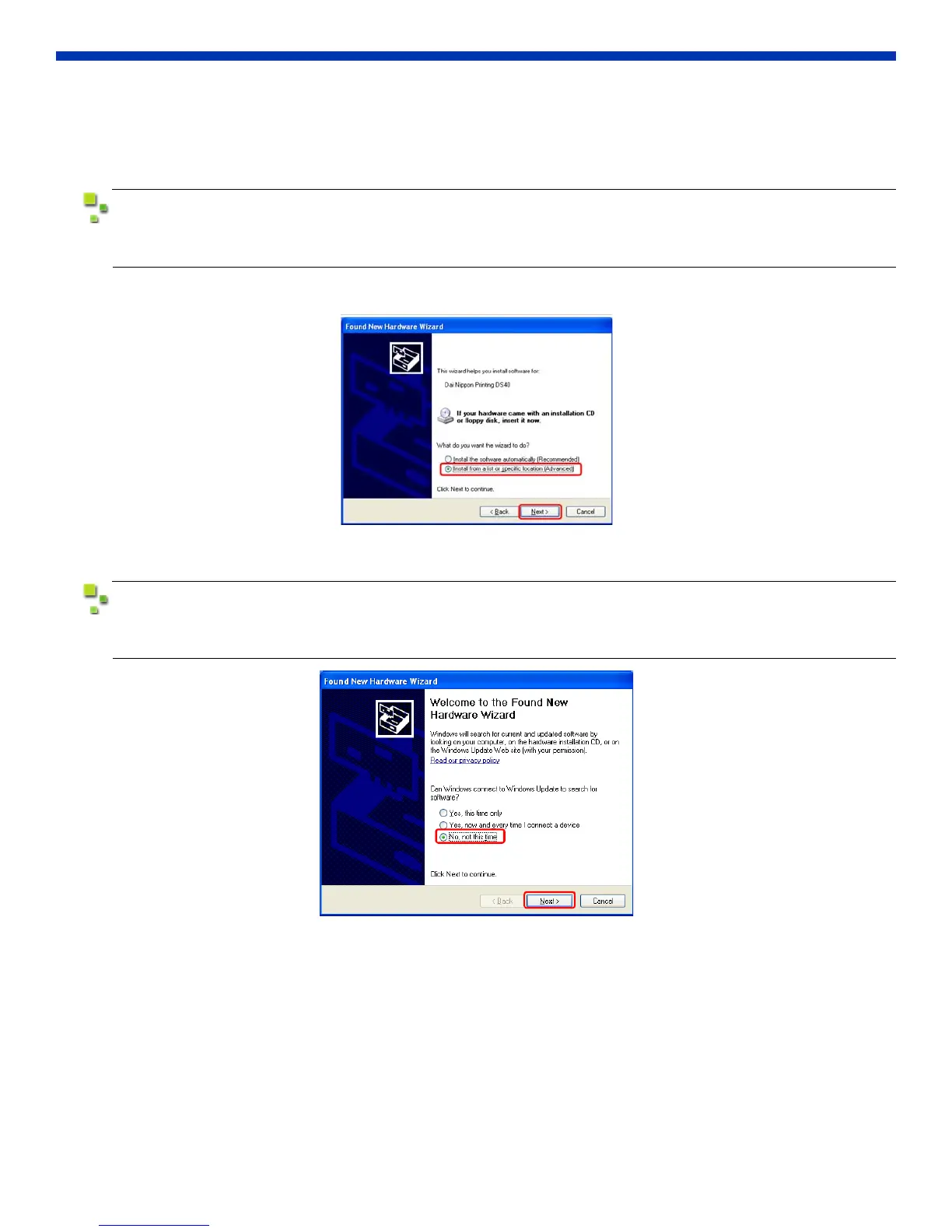
1. Select “Install from a list or specific location (Advanced)” and click Next.
Figure 1. Found New Hardware Wizard
When using Windows XP SP2, the following screen (see below) may appear in the Found New
Hardware Wizard. Select “No, not at this time” and click Next.
Figure 2. Can Windows connect to Windows update?



 To Next Page