WCM2 User Guide WCM Print
DNP Imagingcomm America Corporation 25
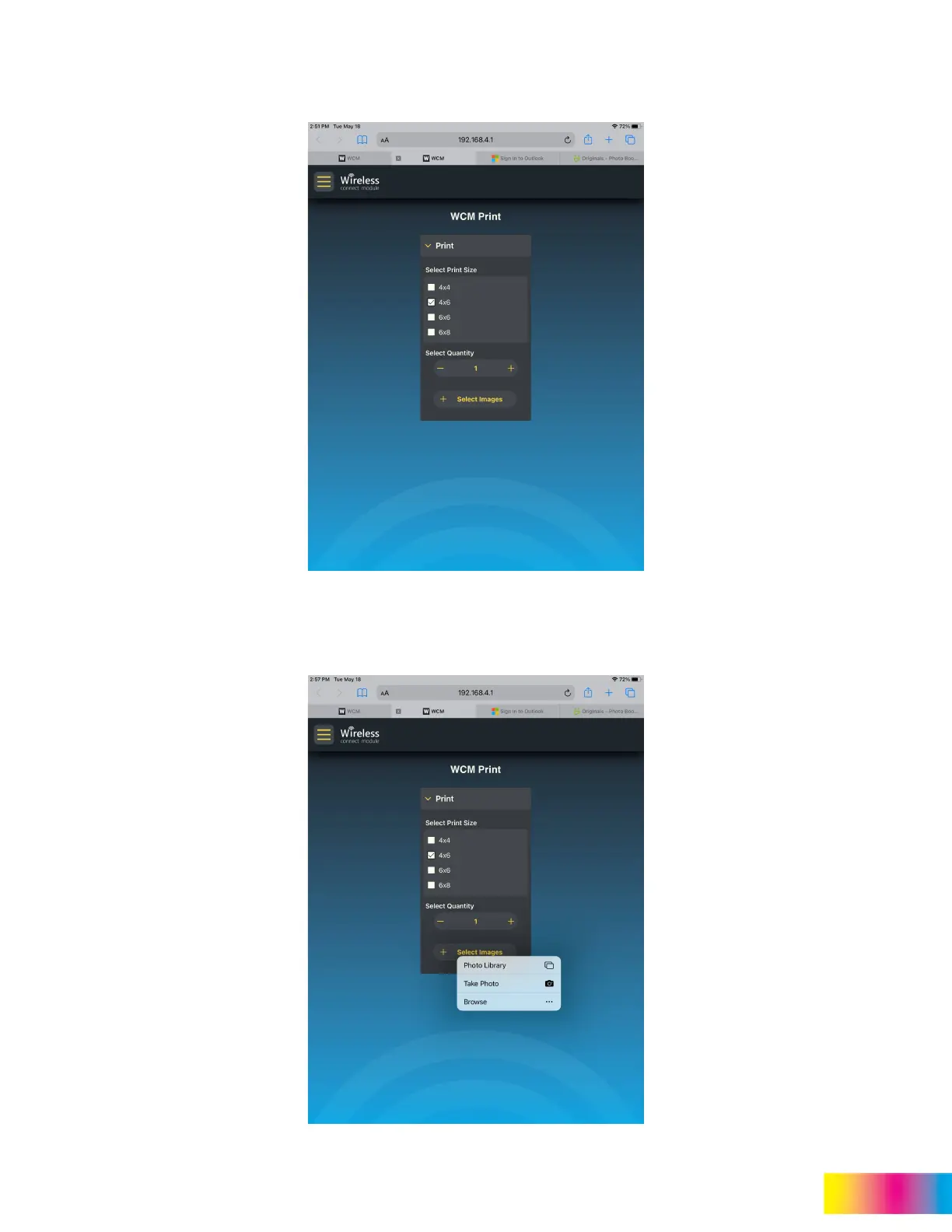
2. Select the desired print size (only one size can be selected at a time).
3. Select Quantity to set the number of copies that are made for each selected picture (the maximum quantity can be
set in the administration page).
4. Tap or click Select Images to choose the pictures to be printed.



 To Next Page