WCM2 User Guide (Mac Printing) Printing from Windows 10 PCs and Tablets (IPP - Internet Printing Protocol)
DNP Imagingcomm America Corporation 21
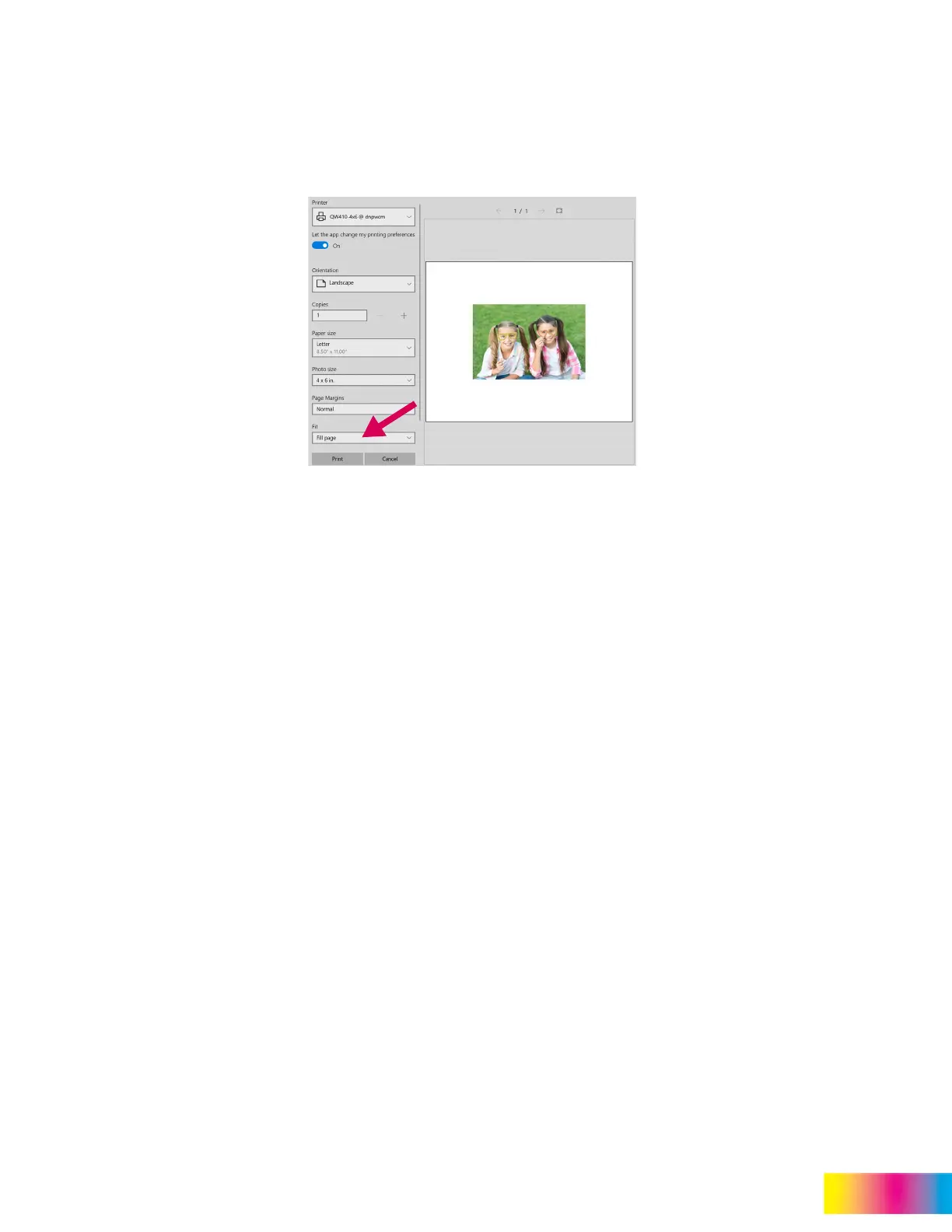
If the picture aspect ratio does not match the print size (ex. 6x8 print size and the aspect is 16:9 aspect), the fit of the
print may not match the print size and a white border may appear on the print. If Fit is set to Fill Page, the WCM2 will
center crop the image to ensure no white borders are visible, but portions of the photo may be cropped out. The best
solution is to open the image in Photos, select the crop icon and set the Aspect Ratio to match the print size set up in
the WCM2.
8. Popular print size aspect ratios:
4x6 = 3:2
6x8 = 4:3
5x7 = 7:5
4.5 x 8 = 16:9
(Mac Printing)
Printing from Windows 10 PCs and Tablets
(IPP - Internet Printing Protocol)
The WCM2 works with AirPrint, which allows it to work with the Mac printing system.
1. Go into Settings and select Network.



 To Next Page