WCM2 User Guide (PC Printing) Printing from Windows 10 PCs and Tablets (IPP – Internet Printing Protocol)
DNP Imagingcomm America Corporation 19
(PC Printing)
Printing from Windows 10 PCs and Tablets
(IPP – Internet Printing Protocol)
The WCM2 supports the Internet Printing Protocol, which allows it to work with the Windows 10 printing system. Before
printing, you must set up your printers on the PC.
1. Connect to the WCM2 Hotspot.
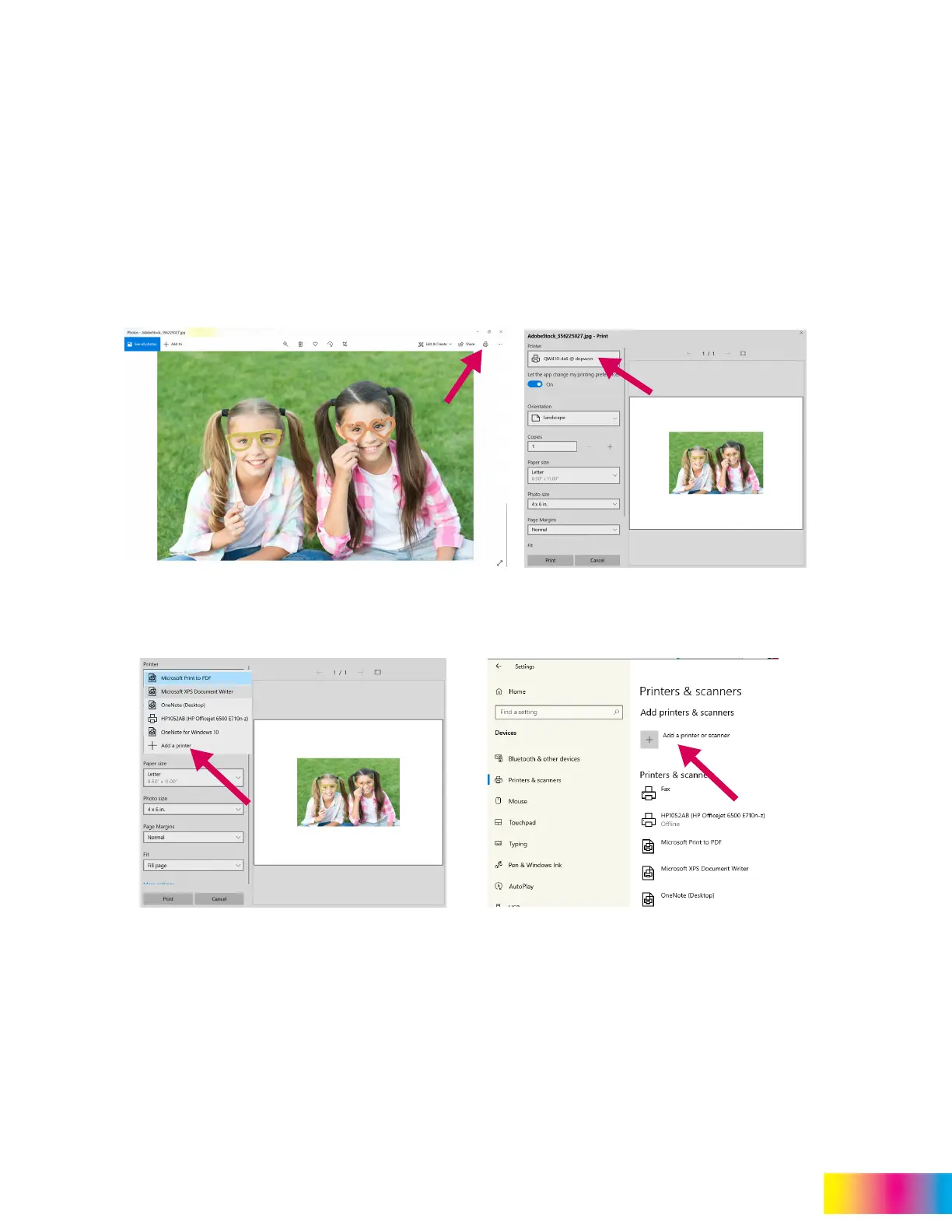
2. Open a photo on your Windows PC or tablet and click on the print icon. Click the pull-down for the Printer and select
the desired printer.
3. If the desired printer is not shown, you will need to add the printer. Click on + Add a Printer to open Printers &
Scanners. Click + Add a printer or scanner.
4. Select your DNP Printer from the listed printers. Click OK to add the printer.



 To Next Page