English
- 28 -
Getting started
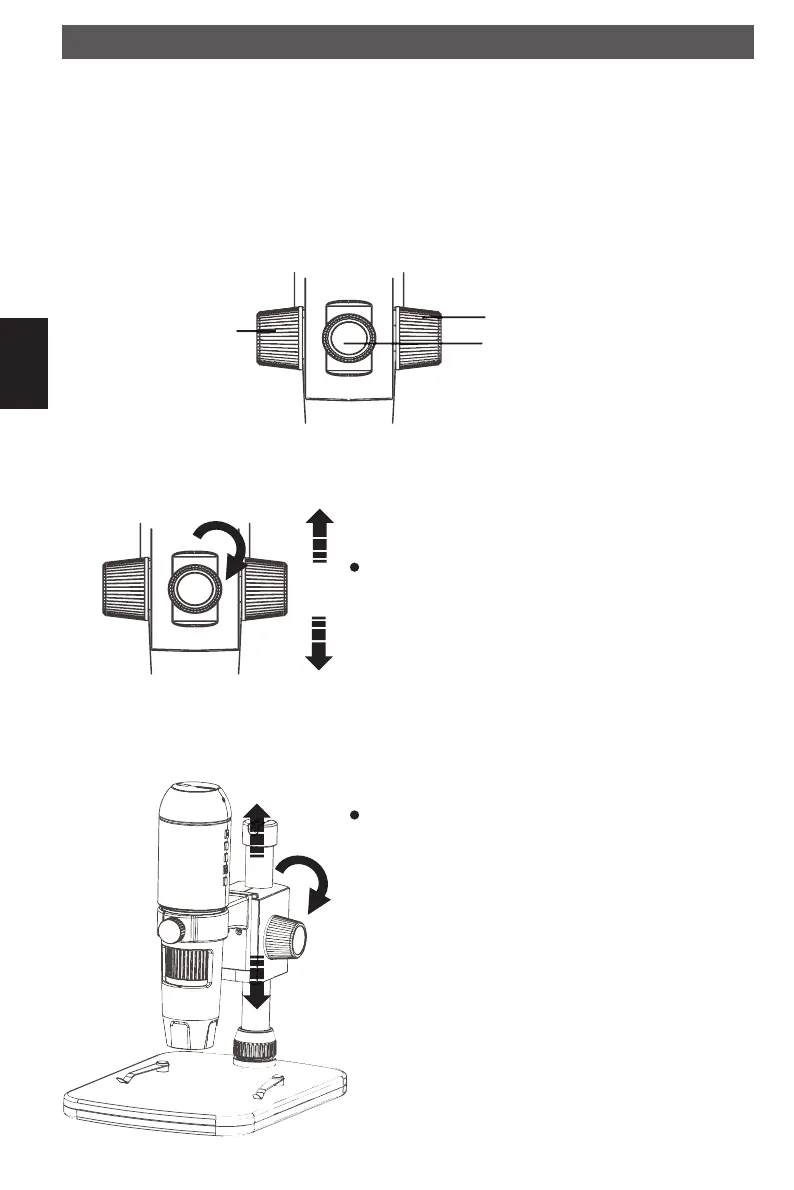
The microscope is attached to a metal pole and adjusted with different wheels.
rear side view
Getting started
Rotate the wheel on the rear side for a rough adjust-
ment. Loosen the wheel and mount the holder to an
appropriate height.
Move the slide to an appropriate height. Rotate the
wheel to get a rough focus.
To fi x the microscope slide
To fi x the holder to the pole
Moves the slide
up and down
DM pHDMI.indd 28DM pHDMI.indd 28 04.08.2016 10:42:3704.08.2016 10:42:37



 To Next Page