M4000 Insulation Analyzer User Guide
72A-1230 Rev. F 4-93
July 22, 2005
Replacing the Fan Filter
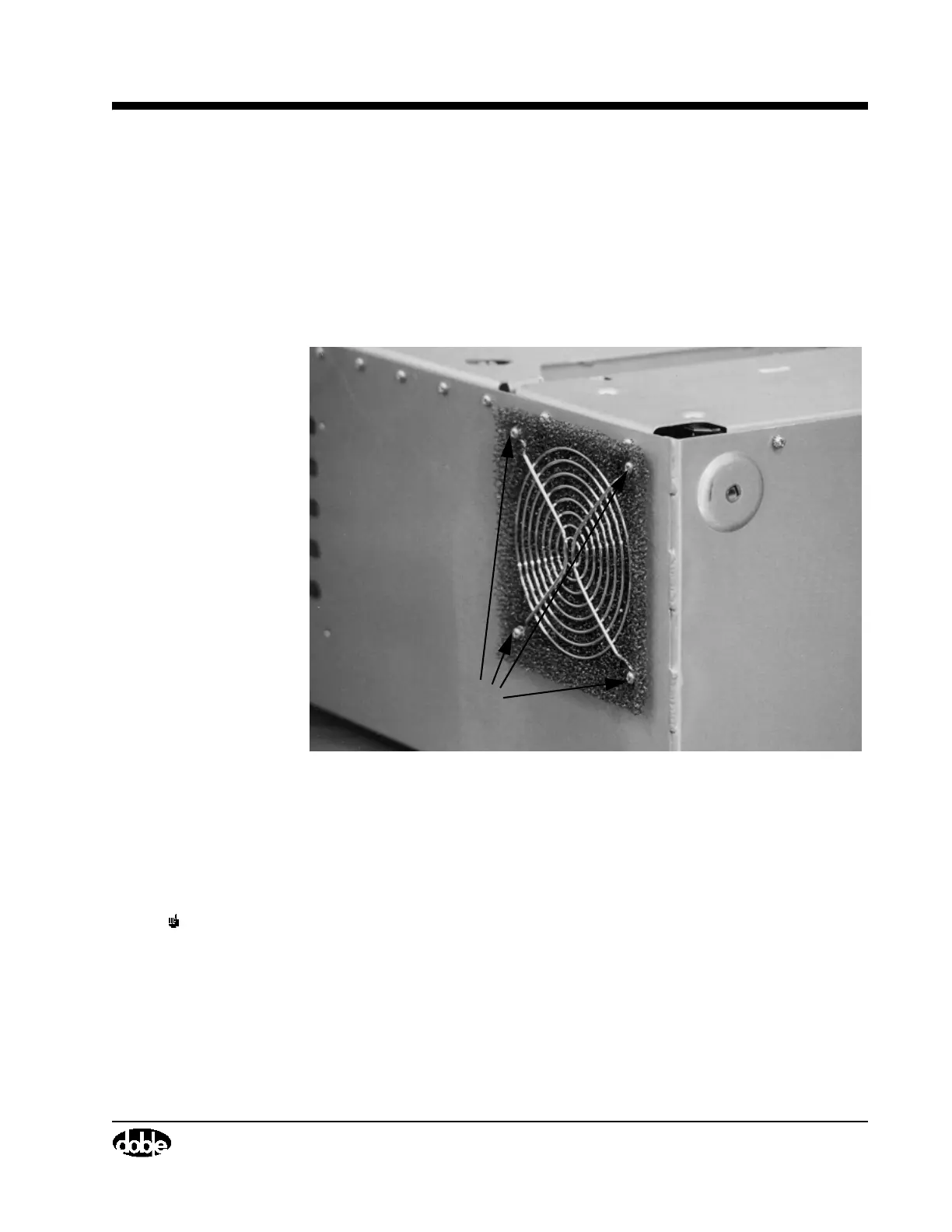
Note the location of the fan filter in Figure 4.53. Inspect the filter from time to
time to check for accumulated dust or scale. Take the following steps to
replace it:
1. Remove the four screws that hold the fan’s grill in place (Figure 4.53)
using a Phillips-head screwdriver.
Figure 4.53 Fan Filter Screw Locations
2. Remove the old fan filter and replace it with a new one.
3. Replace the four screws using a Phillips-head screwdriver. Use the
screwdriver to tuck the new filter in place, if necessary.
NOTE Hot air exhausts from the fan outlet. Do not block it.
Screws



 To Next Page