Replacing the Heater/Temperature Controller Board
4-80 72A-1230 Rev. F
July 22, 2005
Replacing the Heater/Temperature Controller Board
The Heater/Temperature Controller Board is the green board attached to the
Low Voltage Power Supply Board. Before replacing the Heater/Temperature
Controller Board, you must first remove the entire, two-board assembly from
the instrument.
Take the following steps to replace the Heater/Temperature Controller Board:
NOTE Do not remove the replacement board from its anti-static bag until
instructed to do so. See the Note on page 4-48 for additional ESD
precautions.
1. Remove the Low Voltage Power Supply Board from the Instrument by
following Steps 1-6 in ”Replacing the Low Voltage Power Supply Board”
on page 4-78.
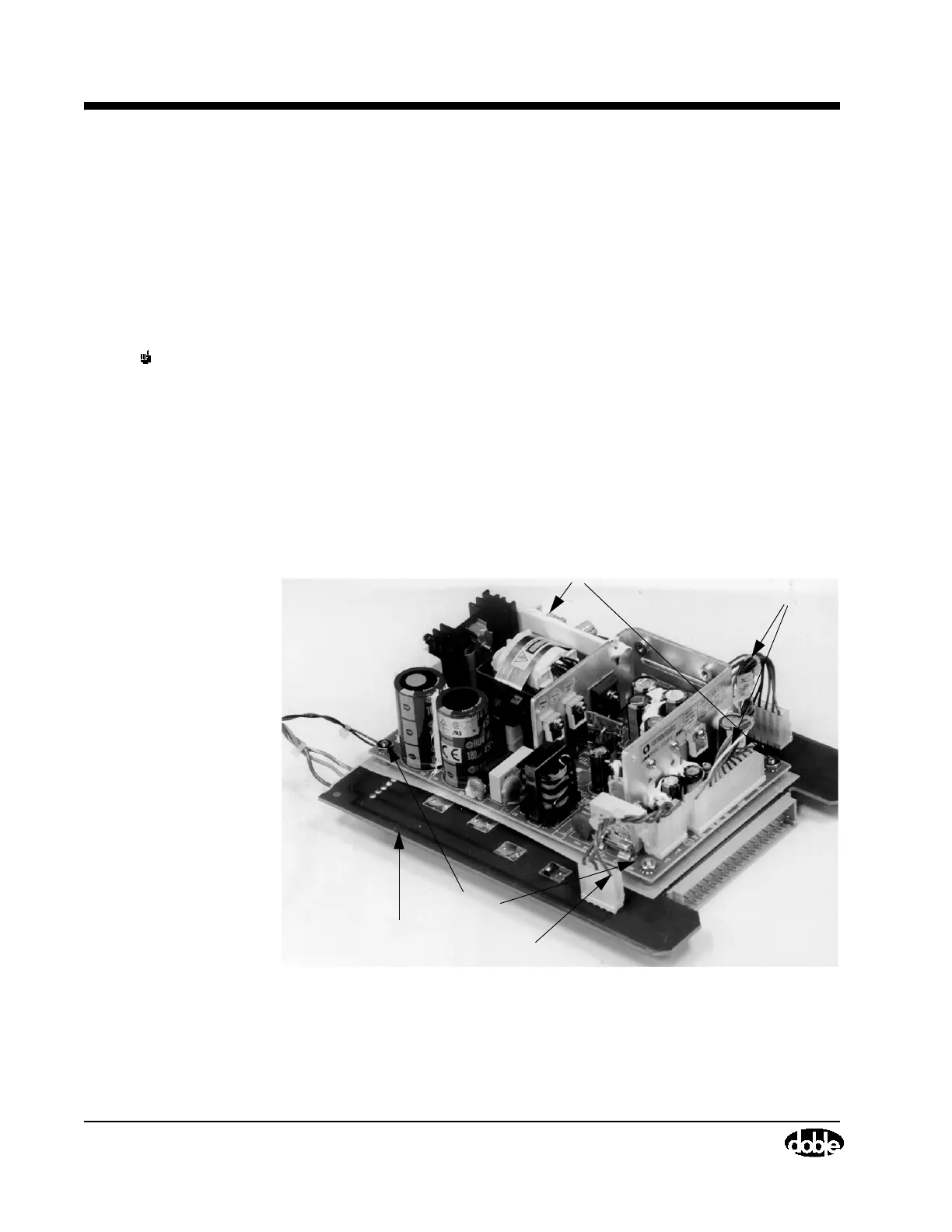
2. Remove the four screws that attach the Heater/Temperature Controller
Board to the Low Voltage Power Supply Board (Figure 4.41) using a
Phillips-head screwdriver. This will also release the four spacers.
Figure 4.41 Heater & Low Voltage Power Supply Assembly, Screw Loca-
tions
W46 Cable
Heater/Temperature
Screws
Screws
Controller Board
W45 Cable



 To Next Page