M4000 Insulation Analyzer User Guide
72A-1230 Rev. F 2-9
July 22, 2005
Clipboard Test Mode
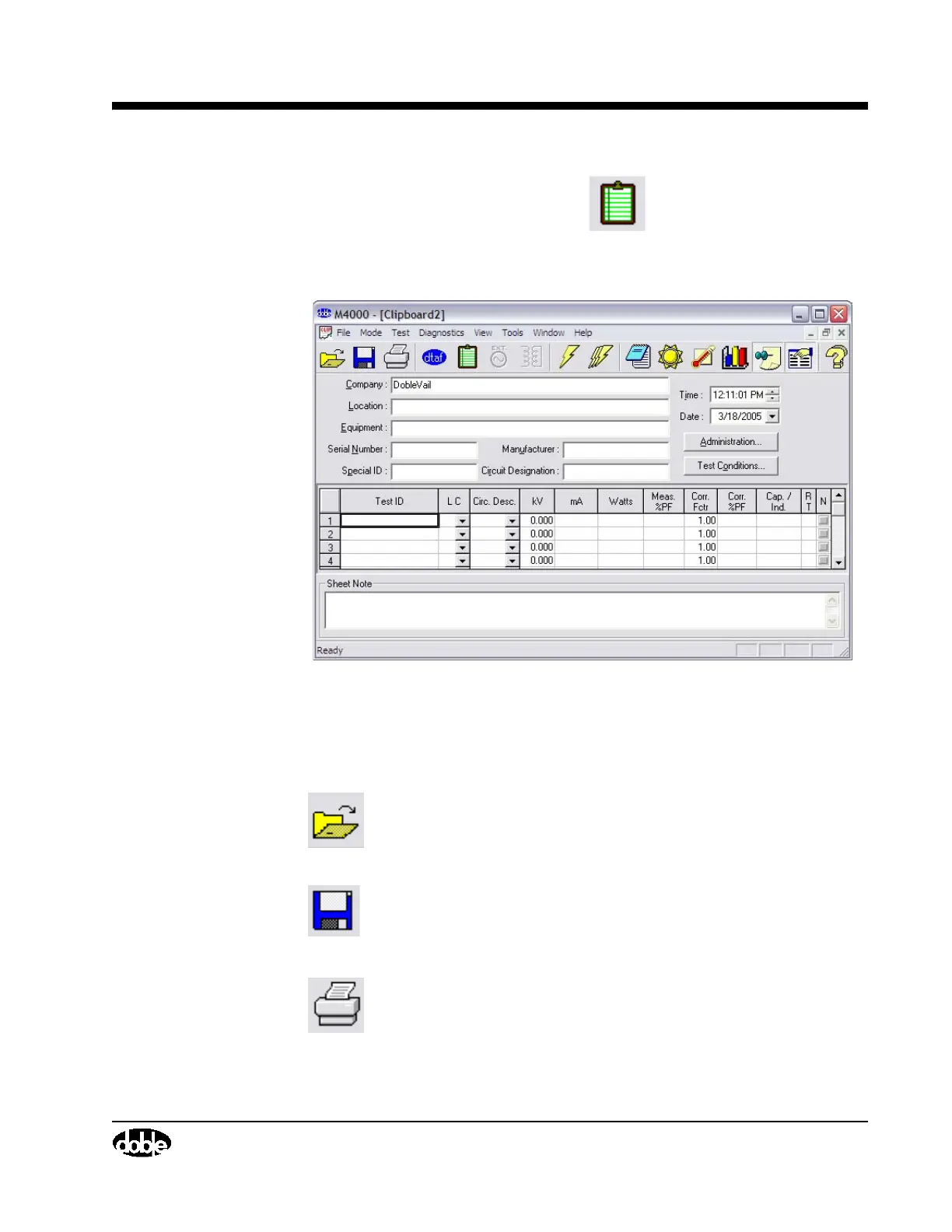
To enter Clipboard test mode, click the icon, or select Clipboard from
the Mode pull-down menu item.
The following screen will appear:
Figure 2.5 Clipboard Screen
Clicking on the following icons will perform the described functions:
Icon Description
Open a File. If a Clipboard file is saved, it can be retrieved by
clicking on this icon, pressing F9, or selecting Open from the
File pull-down menu.
Save a File. This can also be done by pressing CTRL+S to
save the file with the existing name, or the F8 key to save with
a new name.
Print the current Clipboard form. This can also be done by
selecting Print from the File pull-down menu item, or by
pressing F7.



 To Next Page