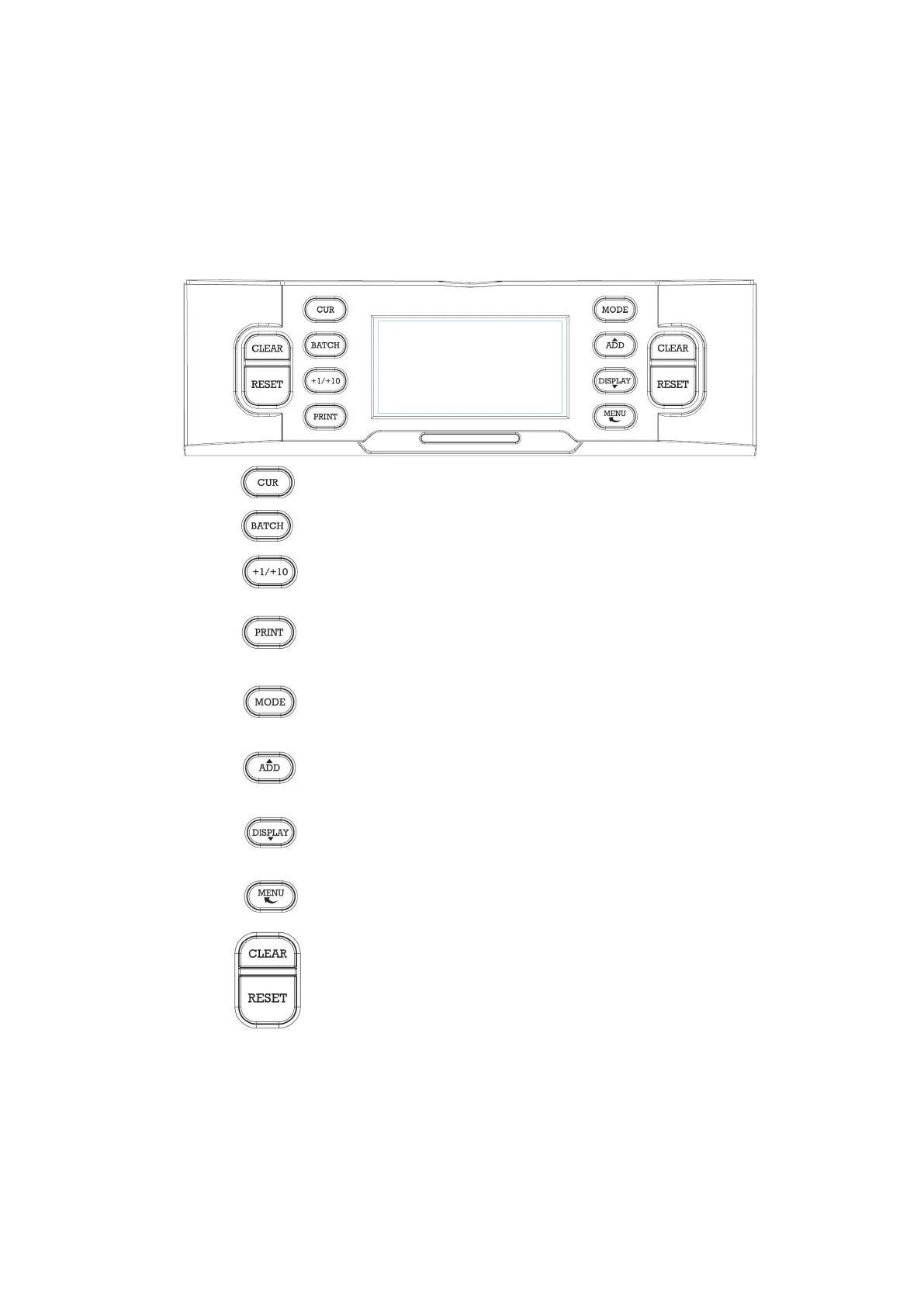
3. Control panel
Press to switch currencies.
Press to set batch parameter.
Press to increase batch parameter by 1 or 10.
Press to print the report.
Press to switch the counting mode (MIX-COUNT-
SORT-FACE-ORIENT).
Press to switch on and off the accumulative counting
procedure.
Press to see the counting results and errors report.
Press to enter the user menu.
Press to clear the counting results and switch the Batch
function off.
Press to start and stop the counting procedure. (START,
STOP, OK)
DoCash DC-45V
7
www.docash.de


 To Next Page